官方
Sequential Thinking
Dynamic and reflective problem-solving through thought sequences
MOmodelcontextprotocol/servers91k近 7 天新增 182 个 star
OAuth MCP gateway. SI proxy with model aliases. Grok subscription as OpenAI-compatible API, no key.

Serve your MCP servers and REST APIs from one OAuth-protected gateway. Also proxy your SI providers behind one address with model aliases, and use your Grok subscription as an OpenAI-compatible API, no API key needed.
Any MCP server. skgate can run them for you, so you do not need one container per server.
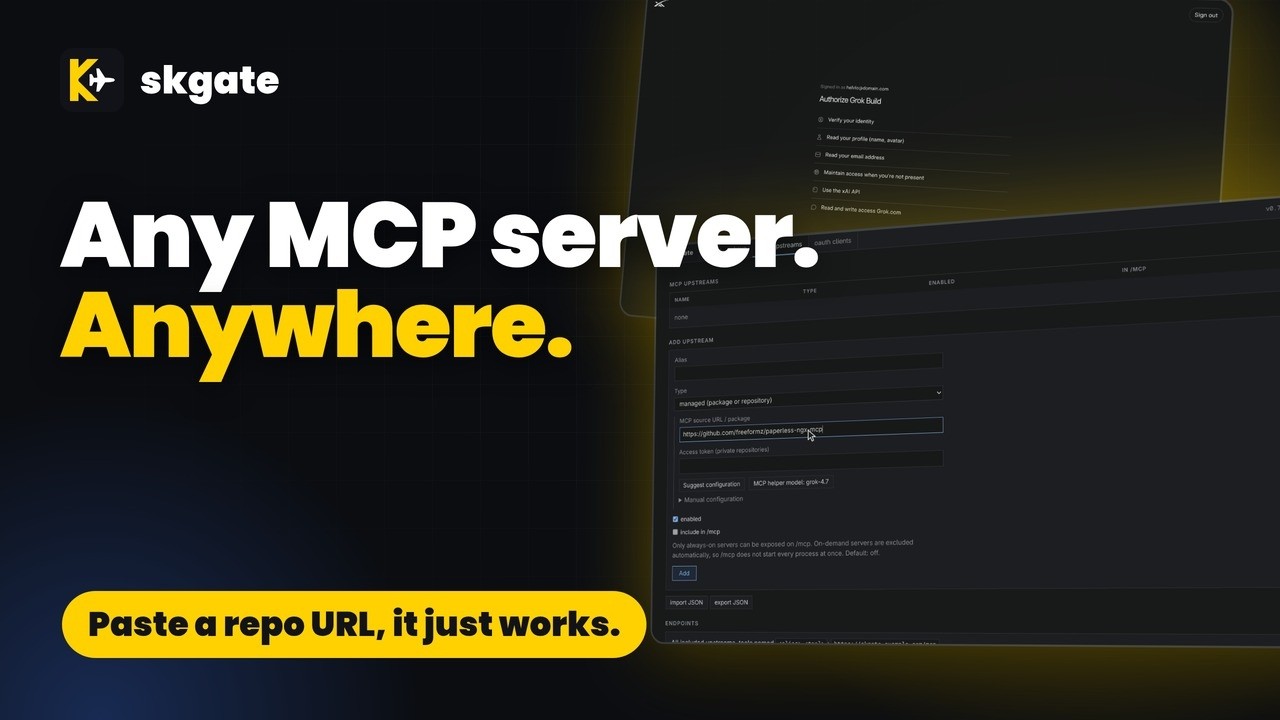
skgate /ɛsˈkɑːɡeɪt/ (ess-KAH-gate)
"sk" is how a lot of SI API keys start, and "gate" is for gateway. Not a great name, but it's ours.
The plane in the logo is an inside joke. The public wouldn't understand it, and I'm not about to explain it. Sorry.
Yes
You need an OIDC provider with a confidential client for skgate. Admin login is OIDC only. Trying it on one machine? docs/quickstart.md runs skgate with a bundled provider and no accounts.
# docker-compose.yml
services:
  skgate:
    container_name: skgate
    image: ghcr.io/helv-io/skgate:latest
    restart: always
    ports:
      - 8080:8080
    environment:
      - PUBLIC_URL=https://skgate.example.com
      - OIDC_ISSUER=https://auth.example.com
      - OIDC_CLIENT_ID=skgate
      - OIDC_CLIENT_SECRET=change-me
    volumes:
      - ./data:/data
    healthcheck:
      test: ["CMD", "/skgate", "healthcheck"]
      interval: 30s
      timeout: 5s
      retries: 3
docker compose up -dhttps://skgate.example.com/admin and sign in through your OIDC provider.https://skgate.example.com/mcp or the site root for every included upstream, or at https://skgate.example.com/mcp/<alias> for one upstream. Sign in when it asks.Image tags:
latest: proxy + managed MCP servers. Bundles Node.js (npx), pnpm, Bun (bunx), Deno, Python (uv, uvx), Go, .NET and git.slim: proxy onlyTo upgrade, back up ./data, then docker compose pull && docker compose up -d.
skgate is also an OpenAI-compatible API in front of your SI providers. Point your apps at one address; switch the provider behind them without changing the apps. User-defined model aliases give your apps a stable model name of your choosing.
Grok can use subscription sign-in with no API key. Other providers use that provider's API key (OpenAI, Anthropic, Gemini, Mistral, DeepSeek, Groq, OpenRouter, Ollama, LM Studio, and any OpenAI-compatible endpoint).
sk-... key; it is shown once.https://skgate.example.com/v1, API key sk-... (see Examples).
/v1, /api, /api/v1, and the bare host. Use whichever form your client expects.export SKGATE=https://skgate.example.com KEY=sk-...
curl -s $SKGATE/v1/models -H "Authorization: Bearer $KEY"
curl -s $SKGATE/v1/chat/completions -H "Authorization: Bearer $KEY" \
-H 'Content-Type: application/json' \
-d '{"model":"<id from /v1/models>","messages":[{"role":"user","content":"Say hi"}]}'
export OPENAI_BASE_URL=https://skgate.example.com/v1 OPENAI_API_KEY=sk-...
from openai import OpenAI

client = OpenAI()  # reads the two variables above
r = client.chat.completions.create(model="<id from /v1/models>", messages=[{"role": "user", "content": "Say hi"}])
print(r.choices[0].message.content)
Aliases are user-defined: skgate ships with none. Pick any name and point it at a model. This example uses grok-latest, but the name is up to you.
Change the target in this one place and every app using that name switches at once, with no client config changes.
Grok > Aliases: New alias grok-latest, Target model grok-4.7, Add alias.
client sends   {"model": "grok-latest", ...}
skgate sends   {"model": "grok-4.7", ...}
Aliases are listed first in /v1/models.
Needs the latest image and an MCP helper model from any ready provider. The first time, Pick MCP helper model next to the button opens the model picker right on the page.
mcp upstreams > Add upstream > Type managed process:
MCP source URL / package, one of:
| Source | Runs as |
|---|---|
@modelcontextprotocol/server-everything | npm package, npx |
pypi:mcp-server-time | PyPI package, uvx |
https://github.com/example-org/notes-mcp | git repo: clone, install, run (private: Access token) |
Suggest configuration. skgate fetches the README and manifests (package.json, pyproject.toml, server.json).
The MCP helper model proposes the command, args, install step, and env names (secret or not, required or optional). The Manual configuration fields fill in, with a confidence and any warnings.
Nothing is saved yet. Set the variables the server needs.
Set an alias, fill in the variables you need (empty ones are not passed to the server), Save. The server is at https://skgate.example.com/mcp/<alias>.
If the button is greyed out, hover it. Use Pick MCP helper model beside it, or add a provider on status first.
| URL | Serves |
|---|---|
https://skgate.example.com/mcp/<alias> | One upstream |
https://skgate.example.com/mcp | Every upstream marked In /mcp |
https://skgate.example.com/ (MCP clients) | Same aggregate as /mcp when Accept/Content-Type look like MCP; browsers still go to /admin |
Hosted connectors use OAuth (leave client ID and secret empty). Scripts and CLIs send a key:
{"mcpServers": {"skgate": {"type": "http", "url": "https://skgate.example.com/mcp/<alias>",
  "headers": {"Authorization": "Bearer sk-..."}}}}
On a RAM-constrained homelab, idle MCP servers should cost nothing.
Managed servers (npx, pnpm dlx, bunx, deno, uvx, git) are child processes of skgate.
By default (Lifecycle on-demand) one starts on its first request and stops after 10 minutes without requests; the next request starts it again.
before   3 MCP servers = 3 containers, always running
after    1 skgate container; 0 server processes while idle, 1 per server in use
stopped --request--> starting --> running --10 min idle--> stopped
always-on starts the server at boot instead.idleTimeoutSeconds in import JSON (default 600; not in the form):{"mcpServers": {"time": {"command": "uvx", "args": ["mcp-server-time"], "skgate": {"idleTimeoutSeconds": 120}}}}
/mcp includes remote, OpenAPI and always-on upstreams marked In /mcp. On-demand servers are left out, so /mcp never starts them. Point a client at /mcp/<alias> to use one.mcp upstreams > import JSON > paste > Import. Needs the latest image.
{"mcpServers": {"everything": {"command": "npx", "args": ["-y", "@modelcontextprotocol/server-everything"]}}}
Served at https://skgate.example.com/mcp/everything. The same package runs with any bundled runner:
| Runner | command | args |
|---|---|---|
| npm | npx | ["-y", "<package>"] |
| pnpm | pnpm | ["dlx", "<package>"] |
| Bun | bunx | ["<package>"] |
| Deno | deno | ["run", "-A", "npm:<package>"] |
| Python | uvx | ["<package>"] |
mcp upstreams > import JSON > paste > Import. skgate clones the repo, runs install, then the command.
{"mcpServers": {"notes": {"command": "node", "args": ["server.js"],
  "skgate": {"gitUrl": "https://github.com/example-org/notes-mcp.git", "gitRef": "main", "install": "npm ci"}}}}
mcp upstreams > Add upstream > Type remote server, or import:
{"mcpServers": {"docs": {"type": "http", "url": "https://mcp.example.com/mcp",
  "headers": {"Authorization": "Bearer ..."}}}}
| Feature | What it does |
|---|---|
| Grok sign-in | Device code or browser paste-back; tokens refresh |
| Other providers | OpenAI, Anthropic, Gemini and more by API key (docs) |
| Model aliases | User-defined model names; change the target once |
| API | /v1, /api/v1, /api, no prefix; SSE (docs) |
| Virtual keys | Hashed; tokens in/out per key (docs) |
| MCP | Remote, stdio and git servers behind OAuth 2.1 (docs) |
| REST APIs as tools | Give an OpenAPI description, pick the operations (or let Suggest names and selection name them and pick a core set), and MCP clients get them as tools (docs) |
Clients tested by the author against a live skgate. Status is what happened, not a promise.
| Client | Status | Notes |
|---|---|---|
| ChatGPT | OK | |
| Claude | OK | |
| Grok | OK | |
| Hermes | OK | |
| Open WebUI | OK | Use OAuth 2.1; register and authorize the client. |
| Gemini | Warning | Connects, but never calls tools. |
| Home Assistant | Warning | Needs a manual OAuth client ID and secret. Only one MCP upstream can be used. |
| Cline | Untested | |
| Continue | Untested | |
| Cursor | Untested | |
| Goose | Untested | |
| LibreChat | Untested | |
| VS Code | Untested | |
| Windsurf | Untested | |
| Zed | Untested |
How each provider signs in elsewhere, and how skgate connects to it:
| Provider | Subscription sign-in elsewhere | In skgate |
|---|---|---|
| xAI Grok * | OpenCode; more planned [1] | Subscription |
| Anthropic Claude | Not offered to third parties [2] | API key |
| DeepSeek | — | API key |
| Google Gemini * | CLI login not for reuse [3] | API key |
| Groq * | — | API key |
| Mistral * | — | API key |
| OpenAI | Sign in with ChatGPT [4] | API key |
| OpenRouter * | — | API key |
| LM Studio | — | No key (local) |
| Ollama | — | No key (local) |
* Free tier available.
As of 2026-10-05; check each provider's terms. GitHub Copilot is not a skgate provider.
Set these under environment: or in an env_file. Placeholders are in .env.example.
| Variable | Default | Purpose |
|---|---|---|
PUBLIC_URL | http://localhost:8080 | Public origin, no trailing slash. |
OIDC_ISSUER | Issuer URL, equal to the provider's discovery issuer. | |
OIDC_CLIENT_ID, OIDC_CLIENT_SECRET | Confidential client credentials. | |
OIDC_SCOPES | openid profile email groups | Requested scopes. |
OIDC_REDIRECT_URL | PUBLIC_URL/admin/oidc/callback | Callback registered at the provider. |
OIDC_ALLOWED_EMAILS, OIDC_ALLOWED_GROUPS | empty | Comma lists limiting who is admin. |
MCP_OAUTH_REQUIRE_CONSENT | true | Approve/Deny page after login at /authorize. |
SECRETS_KEY | random secrets.key file | Encrypts stored upstream secrets. 32-byte base64 or a passphrase. |
GITHUB_TOKEN | empty | Optional GitHub token for Suggest when it reads a repository. An upstream's own access token takes precedence. Raises GitHub's rate limit. |
UPDATE_CHECK | true | The version in the header turns yellow when a newer release exists; false turns the check off. |
LISTEN_ADDR | :8080 | Listen address. |
DB_PATH | /data/skgate.db | SQLite file. |
LOG_LEVEL | info | info or debug. |
LOG_LINES | 1000 | Lines of output kept per managed process (its current and previous run, at most 512 KB). |
TZ | UTC | Time zone for the UI and logs, for example America/New_York. |
PUID, PGID | 1000 | Run-as ids; never 0 or 65534. |
MANAGED_DIR | /data/managed | Work dirs and clones of managed upstreams. |
MANAGED_MAX_PROCS | 0 | Concurrent managed processes; 0 is unlimited. |
Grok needs no variables. Sign in on the status page. Model aliases are the Aliases control on that card.
Everything lives in /data (skgate.db, secrets.key): back up both.
Set PUBLIC_URL to the public https origin.
Do not put forward-auth on /v1, /api, /mcp, /sse, /messages, /authorize, /token, /register, or /.well-known.
Only Traefik is tested by the author. Open an issue with what you tried.
services:
  skgate:
    container_name: skgate
    image: ghcr.io/helv-io/skgate:latest
    restart: always
    network_mode: web   # existing Docker network shared with Traefik; no ports needed
    environment:
      - PUBLIC_URL=https://skgate.example.com   # the public https origin
      - OIDC_ISSUER=https://auth.example.com
      - OIDC_CLIENT_ID=skgate
      - OIDC_CLIENT_SECRET=change-me
    volumes:
      - ./data:/data
    healthcheck:
      test: ["CMD", "/skgate", "healthcheck"]
      interval: 30s
      timeout: 5s
      retries: 3
    labels:
      # no forward-auth middleware on /v1, /api, /mcp, /sse, /messages, /authorize, /token, /register, /.well-known
      - traefik.enable=true
      - traefik.http.routers.skgate.rule=Host(`skgate.example.com`)
      - traefik.http.routers.skgate.entryPoints=websecure
      - traefik.http.services.skgate.loadbalancer.server.port=8080
server {
    listen 443 ssl;
    http2 on;
    server_name skgate.example.com;
    ssl_certificate     /etc/ssl/skgate/fullchain.pem;
    ssl_certificate_key /etc/ssl/skgate/privkey.pem;

    client_max_body_size 32m;                         # skgate accepts up to 32 MB

    location / {
        proxy_pass http://skgate:8080;
        proxy_http_version 1.1;
        proxy_set_header Connection "";
        proxy_set_header Host $host;                  # keep Host
        proxy_set_header X-Forwarded-For $remote_addr;
        proxy_set_header X-Forwarded-Proto $scheme;
        proxy_buffering off;                          # SSE streaming
        proxy_read_timeout 3600s;                     # long streams
        proxy_send_timeout 3600s;
    }
}
skgate.example.com {
    # Host and X-Forwarded-* are set by default; no body limit, no response timeout
    reverse_proxy skgate:8080 {
        flush_interval -1                             # SSE streaming
    }
}
defaults
    mode http
    timeout connect 5s
    timeout client  1h                                # long streams
    timeout server  1h
    timeout tunnel  1h

frontend https
    bind :443 ssl crt /etc/haproxy/certs/skgate.pem alpn h2,http/1.1
    option forwardfor                                 # X-Forwarded-For; Host is kept, responses are not buffered
    http-request set-header X-Forwarded-Proto https
    default_backend skgate

backend skgate
    option httpchk GET /healthz
    server skgate skgate:8080 check
# a2enmod ssl proxy proxy_http headers
<VirtualHost *:443>
    ServerName skgate.example.com
    SSLEngine on
    SSLCertificateFile    /etc/ssl/skgate/fullchain.pem
    SSLCertificateKeyFile /etc/ssl/skgate/privkey.pem

    # keep Host
    ProxyPreserveHost On
    RequestHeader set X-Forwarded-Proto "https"
    # long streams
    ProxyTimeout 3600
    # flushpackets: no buffering (SSE)
    ProxyPass        / http://skgate:8080/ flushpackets=on
    ProxyPassReverse / http://skgate:8080/
</VirtualHost>
| Client setting | Value |
|---|---|
| Type | Confidential, client_secret_basic or client_secret_post |
| Flow | Authorization code with PKCE S256 |
| Redirect URI | https://skgate.example.com/admin/oidc/callback |
| Scopes | openid profile email groups (if groups is rejected: OIDC_SCOPES=openid profile email) |
| ID token | Asymmetric signature (RS, PS, ES, EdDSA); discovery issuer equal to OIDC_ISSUER |
Without OIDC_ISSUER, OIDC_CLIENT_ID and OIDC_CLIENT_SECRET, skgate starts but the admin stays closed.
Every user your provider lets in is an admin. Restrict the provider, or set OIDC_ALLOWED_EMAILS / OIDC_ALLOWED_GROUPS.
Hints for Authelia, Authentik, Keycloak, Zitadel and Pocket ID: docs/oidc.md.
/authorize needs an admin session.slim image to disable them.?key=) for clients that cannot send headers. It is off per key by default, because URLs leak into logs, history and referrers.More: operations.
skgate is built with SI assistance: coding agents write much of the code, tests and docs.
The author reviews the changes and runs skgate.
go build ./... && go vet ./... && go test ./...
docs/development.md. Contributors and agents: AGENT.md.
MIT, see LICENSE.
Dynamic and reflective problem-solving through thought sequences
MOmodelcontextprotocol/servers91k近 7 天新增 182 个 star
Model Context Protocol(MCP) 编程极速入门
LIliaokongVFX/MCP-Chinese-Getting-Started-Guide3.6k近 7 天新增 4 个 star
Local MCP work notes with persistent sessions, decisions, evidence and resumable tasks.
ARarben-adm/mcp-sequential-thinking954近 7 天新增 2 个 star
Harness the power of local LLMs with this TUI MCP Client for Ollama. Featuring all core MCP primitives (tools, prompts, resources), agent mode, multi-server, model switching, streaming responses, human-in-the-loop, thinking mode, model params config, system prompts, and saved preferences.
JOjonigl/mcp-client-for-ollama829近 7 天新增 3 个 star