
 koala73/worldmonitor88k
World Monitor
Live markets, conflicts, country risk, chokepoints, energy, and China decision signals. 90 tools.
AI 与智能体

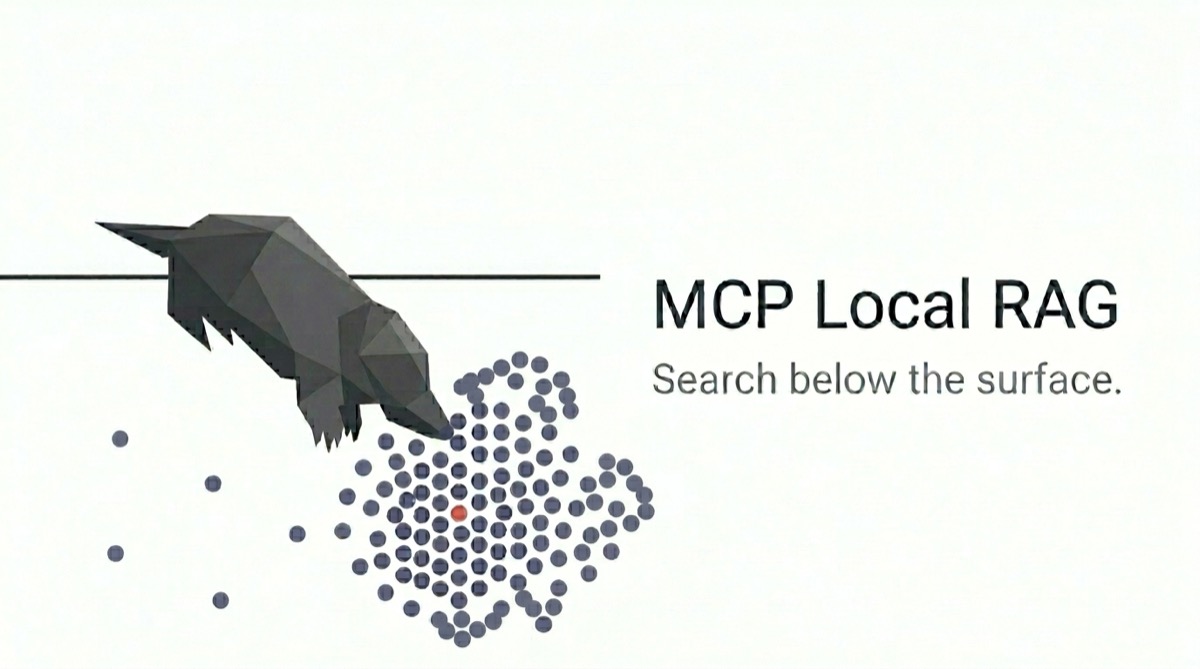
Local-first RAG server for developers. Semantic + keyword search for code and technical docs. Works with MCP or CLI. Fully private, zero setup.


English | 简体中文 | Deutsch | Español | Português (Brasil) | Français
Search private documents from an MCP client or the terminal without sending them to an embedding API.
mcp-local-rag indexes PDF, DOCX, Markdown, and text files on your machine. Search combines semantic similarity with keyword matching, so queries can match both intent and exact technical terms such as API names, class names, and error codes. Results include source passages and, where available, headings, line numbers, or page numbers so you can check and cite the original document.
No API key, Docker, Python, or external database is required. After the initial model download, text ingestion and search work offline.
Set BASE_DIR to that directory. It is also the security boundary for file operations. Replace
/absolute/path/to/your/documents below with the directory's absolute path.
Use one of the examples below, or register npx -y mcp-local-rag and set BASE_DIR using your
client's MCP configuration format.
Set DB_PATH and CACHE_DIR to absolute paths as well. Relative paths resolve from the
server's working directory, so starting the server from different projects creates a separate
index and model cache in each.
Run this command:
claude mcp add local-rag --scope user --env BASE_DIR=/absolute/path/to/your/documents -- npx -y mcp-local-rag
Add to ~/.codex/config.toml:
[mcp_servers.local-rag]
command = "npx"
args = ["-y", "mcp-local-rag"]

[mcp_servers.local-rag.env]
BASE_DIR = "/absolute/path/to/your/documents"
Add to ~/.config/opencode/opencode.json (or opencode.jsonc):
{
  "$schema": "https://opencode.ai/config.json",
  "mcp": {
    "local-rag": {
      "type": "local",
      "command": ["npx", "-y", "mcp-local-rag"],
      "environment": {
        "BASE_DIR": "/absolute/path/to/your/documents"
      }
    }
  }
}
Add to ~/.cursor/mcp.json:
{
  "mcpServers": {
    "local-rag": {
      "command": "npx",
      "args": ["-y", "mcp-local-rag"],
      "env": {
        "BASE_DIR": "/absolute/path/to/your/documents"
      }
    }
  }
}
Restart the client, then ask it to build the index:
Sync all documents in the configured root and wait until it finishes.
The first sync downloads the default embedding model (about 90 MB) and may take 1–2 minutes before ingestion starts. Later runs use the local cache.
Once the sync completes:
What does the API documentation say about authentication?
To use the CLI without an MCP client:
npx mcp-local-rag ingest ./docs/
npx mcp-local-rag query "authentication API"
The CLI uses the current directory as its document root by default. Run both commands from the
same directory so they use the same default index, or set BASE_DIR and DB_PATH explicitly.
| Input | How to ingest |
|---|---|
| PDF, DOCX, TXT, Markdown | File ingestion or directory sync |
| HTML already fetched by the client | ingest_data |
| Plain text or Markdown held in memory | ingest_data with a stable source identifier |
HTML fetching is not built into the server. An MCP client can fetch a page and pass its HTML to
ingest_data.
Excel, PowerPoint, standalone images, and source-code file extensions are not supported by file ingestion. PDFs can optionally use a local vision model to describe figures, but this is not OCR or image search.
Sync after adding, editing, or removing documents. For searches and follow-up reading, ask your MCP client:
Find the documented behavior of ERR_CONNECTION_REFUSED.
Read the surrounding chunks for that result.
You can also ingest a single file or HTML already fetched by the client. Reusing the same path or source updates the existing entry. MCP file paths must be absolute and inside a configured document root.
Source context can include headings, original-file line numbers for MD/TXT, and page numbers
for PDFs. PDF heading detection can miss headings or mistake body text for a heading. Re-ingest
documents indexed before v0.21.0 to add source context; sync skips unchanged files.
| Tool | Purpose |
|---|---|
sync_start | Reconcile the index with all configured roots or one path |
sync_status | Poll a running sync job |
ingest_file | Ingest or replace one file |
ingest_data | Ingest text, Markdown, or HTML already held by the client |
query_documents | Search with semantic matching and keyword boost |
read_chunk_neighbors | Read surrounding chunks from a search result |
list_files | Show supported files and their ingestion state |
delete_file | Delete an indexed file or an ingest_data item |
status | Show index and search status |
Use the CLI to update the index, narrow searches, or remove indexed content:
npx mcp-local-rag sync ./docs/
npx mcp-local-rag query "auth" --scope /docs/api --scope /docs/guide
npx mcp-local-rag read-neighbors --file-path /abs/path.md --chunk-index 5
npx mcp-local-rag list
npx mcp-local-rag status
npx mcp-local-rag delete ./docs/old.pdf
npx mcp-local-rag delete --source "https://example.com/docs"
ingest imports the selected files; sync also removes entries for deleted files and skips
unchanged files. Use --scope to restrict search results to a path prefix, repeating it to
include multiple prefixes.
Global options such as --db-path, --cache-dir, and --model-name go before the subcommand.
Subcommand options go after it:
npx mcp-local-rag --db-path ./my-db query "authentication"
Run npx mcp-local-rag --help for the complete command reference.
query writes its results to stdout as JSON, best match first, so it can be piped into another
tool. The field-by-field contract is in
docs/schema/query-output.schema.json.
Agent Skills provide query and ingestion guidance for AI assistants:
npx mcp-local-rag skills install --claude-code
npx mcp-local-rag skills install --claude-code --global
npx mcp-local-rag skills install --codex
Installed skills cover query formulation, result refinement, and HTML ingestion. Ask the assistant to use the mcp-local-rag skill explicitly if it does not activate automatically.
Start with the defaults. Open the sections below when you need different document roots, better results for your corpus, or searchable PDF figures.
The MCP server reads environment variables. The CLI accepts the listed variables and flags.
Keep the same DB_PATH when commands should use the same index.
| Environment Variable | CLI Flag | Default | Description |
|---|---|---|---|
BASE_DIR | --base-dir | Current directory | One document root; the CLI flag is repeatable on ingest, list, and sync |
BASE_DIRS | N/A | (unset) | JSON array of document roots; takes precedence over BASE_DIR |
DB_PATH | --db-path | ./lancedb/ | Vector database location |
CACHE_DIR | --cache-dir | ./models/ | Model cache directory |
HF_ENDPOINT | N/A | https://huggingface.co | Hugging Face model download endpoint; use a mirror URL when direct downloads are blocked |
MAX_FILE_SIZE | --max-file-size | 104857600 (100MB) | Maximum file size in bytes |
File operations stay within configured roots. For multiple directories, set
BASE_DIRS='["/absolute/docs","/absolute/specs"]' or repeat CLI --base-dir. Precedence: CLI
roots, BASE_DIRS, BASE_DIR, then the current directory. Only the highest-priority source is
used; roots from different sources are not merged. Invalid BASE_DIRS is an error. Relative
DB_PATH and CACHE_DIR are resolved from the working directory.
Choose an embedding model for your documents’ language and subject. Compare settings using questions you actually ask and check which source passages are returned. The model must support mean pooling and L2 normalization, which this tool uses to produce embeddings.
| Environment Variable | CLI Flag | Default | Description |
|---|---|---|---|
MODEL_NAME | --model-name | Xenova/all-MiniLM-L6-v2 | Hugging Face embedding model |
CHUNK_MIN_LENGTH | --chunk-min-length | 50 | Minimum length in characters (1–10000) for ordinary chunks; a fragment of content split to fit the model's token limit can be shorter |
EMBED_TITLE_PREFIX | N/A | false | Add the document title to each chunk's embedding input |
EMBED_HEADING_PREFIX | N/A | false | Add the heading hierarchy to each chunk's embedding input when it fits |
RAG_DEVICE | N/A | cpu | ONNX Runtime execution device |
RAG_DTYPE | N/A | fp32 | Embedding dtype passed to the selected model |
Both prefix options default to false and work independently. Try EMBED_TITLE_PREFIX when a
passage needs the document’s overall topic, or EMBED_HEADING_PREFIX when it needs its
section’s topic. Enabling both is not always better. They affect embeddings, not the returned
text or keyword index; heading context is omitted when it would exceed the input budget.
When changing embedding models, build a fresh index at a new DB_PATH. Vectors from different
models are not comparable, even when their dimensions match. After changing RAG_DTYPE or
either prefix option, re-ingest all indexed documents before searching. sync skips unchanged
files.
The CLI does not read MCP client configuration. When sharing an index, use the same model,
RAG_DTYPE, and prefix settings for ingestion and search. A change to RAG_DEVICE alone does
not require a new index.
The first four settings below apply to both MCP and CLI queries. To give exact terms more
weight, try increasing RAG_HYBRID_WEIGHT and compare results on your own questions. External
reranking is MCP-only.
| Variable | Default | Description |
|---|---|---|
RAG_HYBRID_WEIGHT | 0.6 | Keyword boost factor (0.0–1.0). 0 disables keyword reranking; 1 applies the maximum boost. |
RAG_GROUPING | (not set) | similar keeps the first relevance group; related keeps up to two, using significant vector-distance gaps as boundaries. |
RAG_MAX_DISTANCE | (not set) | Filter out low-relevance results (e.g., 0.5). |
RAG_MAX_FILES | (not set) | Limit results to top N files (e.g., 1 for single best file). |
RAG_RERANK_CMD | (not set) | MCP only: external command; {query} passes the query and {top} the requested result count. |
RAG_RERANK_TIMEOUT_MS | 10000 | Time budget per rerank call in milliseconds (100–600000). |
RAG_RERANK_CMD)The command reads search results, including matched text, from stdin. If it calls a remote service, that text may leave your machine.
Give the executable and its complete argument template. Put {query} and {top} where the
command expects the query and result count. Single or double quotes group paths or arguments
containing spaces, and backslashes stay literal. The server runs the executable without a
shell, so an npm-installed .cmd shim on Windows will not start.
{
  "env": {
    "RAG_RERANK_CMD": "/path/to/reranker --query {query} --top {top}",
    "RAG_RERANK_TIMEOUT_MS": "10000"
  }
}
The command must read and return results in the format defined by the query output schema. It can remove or reorder results and modify their text. The server returns its output.
Results keep their original order if the command fails, times out, or returns output that does not match the schema.
By default, ingestion indexes only text. To make PDF figures searchable, enable local caption
generation with visual: true in MCP or --visual in the CLI. Captions are generated
descriptions, not OCR or exact transcriptions.
fast (default) downloads about 250 MB on first use. Choose quality for labels and text
within figures; it downloads about 1.7 GB and takes longer to run.
Select the profile with visualQuality: "quality" in MCP or --visual-quality quality in the
CLI.
npx mcp-local-rag ingest ./docs/paper.pdf --visual --visual-quality quality
To return images with matching text, use STORE_IMAGES=true in MCP or --images with CLI
ingest and sync. This is independent of caption generation and supports detected PDF
figures/tables and supported DOCX PNG/JPEG images.
npx mcp-local-rag ingest ./docs/paper.pdf --images
Sync preserves each PDF's caption profile. CLI sync --visual --visual-quality quality changes
the profile even for unchanged PDFs; MCP sync preserves it. To turn captions off, ingest the
file normally. To retry failed captions, re-ingest with the desired visual profile.
Image storage must be enabled on each ingestion or sync that processes the file. Changing the image setting alone does not refresh unchanged files; re-ingest them to apply it.
BASE_DIR, BASE_DIRS, or CLI --base-dir roots.RAG_RERANK_CMD names a command that makes them.DB_PATH. Read-only queries can run
while a sync is active.DB_PATH directory while no writer is active.Documents must be ingested first. Run "List all ingested files" to verify. If results are
missing after a sync, check that ingestion and search use the same absolute DB_PATH; a
relative path may point to a different index.
Check internet connection. If behind a proxy, configure network settings. The model can also be downloaded manually.
Default limit is 100MB. Split large files or increase MAX_FILE_SIZE.
Check chunk count with status. Large documents with many chunks may slow queries. Consider
splitting very large files.
Ensure file paths are within one of the configured roots (BASE_DIR, any BASE_DIRS entry, or
any CLI --base-dir). Use absolute paths.
BASE_DIRS accepts a JSON array of one or more non-empty path strings:
BASE_DIRS='["/Users/me/work","/Users/me/specs"]'BASE_DIRS=/a:/b (delimiter syntax not supported)BASE_DIRS='[]' (empty array)npx mcp-local-rag should run without errorsContributions welcome! See CONTRIBUTING.md for setup and guidelines.
MIT License. Free for personal and commercial use.
Built with Model Context Protocol by Anthropic, LanceDB, and Transformers.js.
koala73/worldmonitor88kLive markets, conflicts, country risk, chokepoints, energy, and China decision signals. 90 tools.
AI 与智能体

 ahujasid/mcp-for-blender30k
Community plugin to control Blender 3D with any LLM of your choice. Not affiliated with the official Blender Foundation.
AI 与智能体

 oraios/serena30k
A powerful MCP toolkit for coding, providing semantic retrieval and editing capabilities - the IDE for your agent
AI 与智能体

 agentskills/agentskills26k
Search and discover Agent Skills from the skills.sh registry. Powered by HAPI MCP server.
AI 与智能体

 activepieces/activepieces25k
AI Agents & MCPs & AI Workflow Automation • (~400 MCP servers for AI agents) • AI Automation / AI Agent with MCPs • AI Workflows & AI Agents • MCPs for AI Agents
AI 与智能体

 czlonkowski/n8n-mcp23k
A MCP for Claude Desktop / Claude Code / Windsurf / Cursor to build n8n workflows for you
AI 与智能体