
官方
 github/github-mcp-server33k
A Model Context Protocol server for connecting Notion to MCP-compatible clients
AI-friendly MCP server for the Notion API. It helps agents find, read, query, and update Notion workspaces while keeping responses compact enough for day-to-day AI workflows.
This server targets the Notion API 2026-03-11 and uses the current database/data source model. It exposes MCP tools, prompts, resources, structured tool results, and optional MCP Apps for interactive Notion workflows.
notion_find.notion_read_page.notion_inspect_data_source.Add this server to an MCP host such as Claude Desktop:
{
  "mcpServers": {
    "notion": {
      "command": "npx",
      "args": ["-y", "@suekou/mcp-notion-server"],
      "env": {
        "NOTION_API_TOKEN": "your-integration-token"
      }
    }
  }
}
Restart your MCP host after saving the configuration.
Open the Notion integrations dashboard, then create a new internal integration.
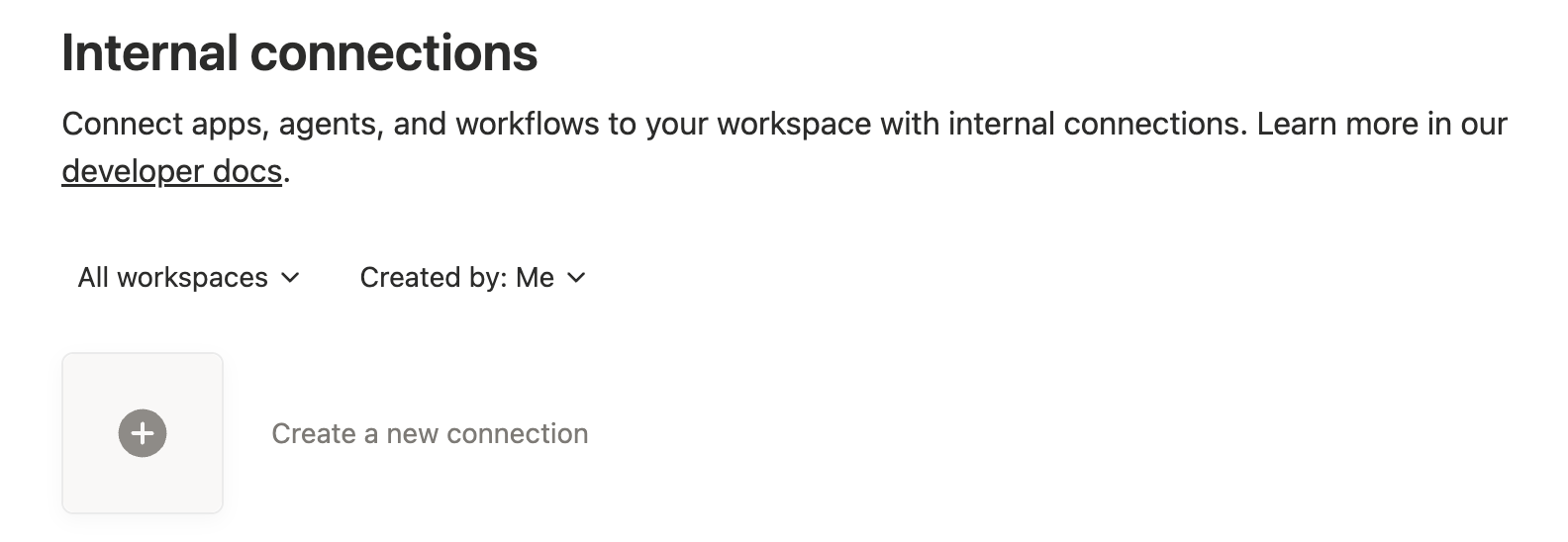
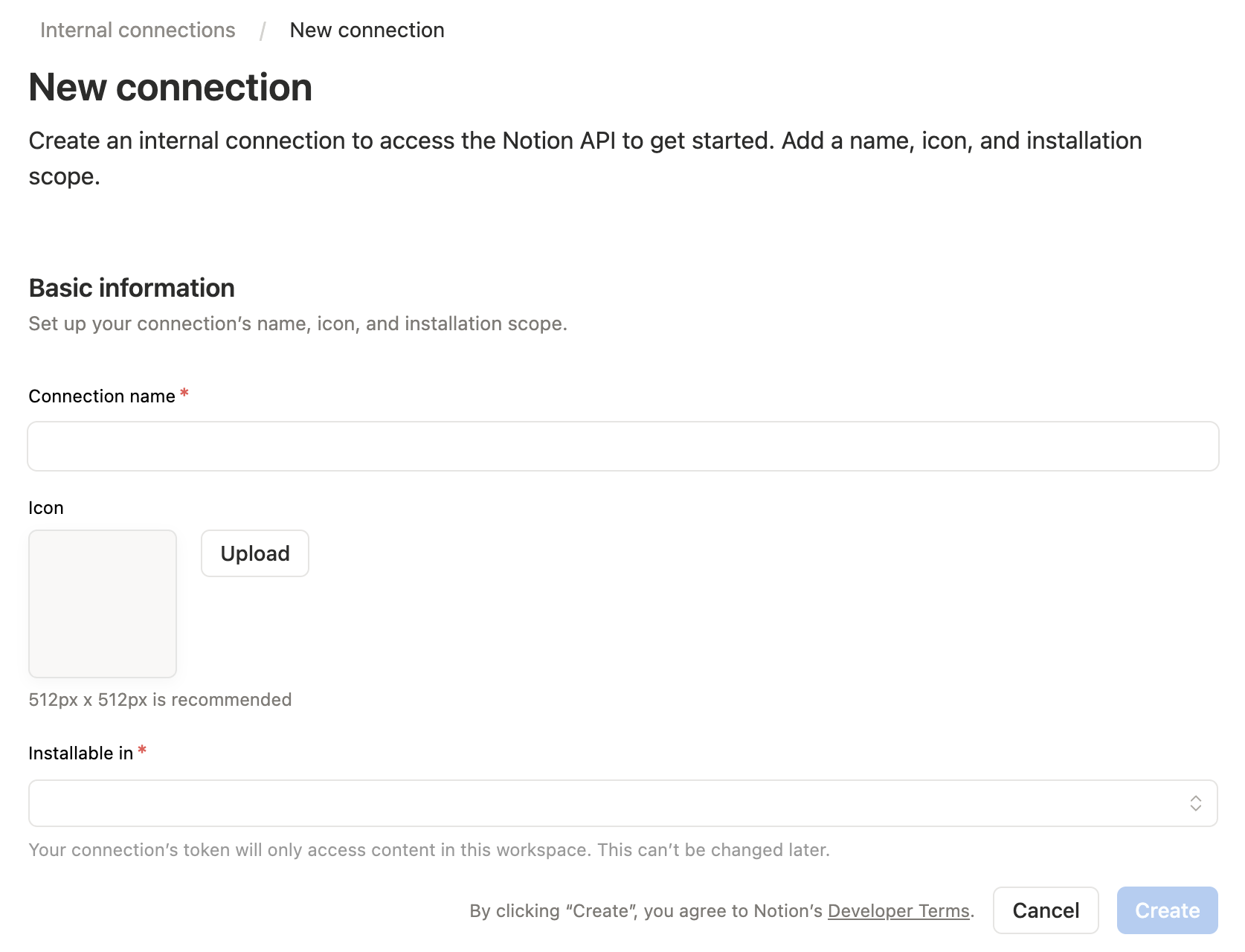
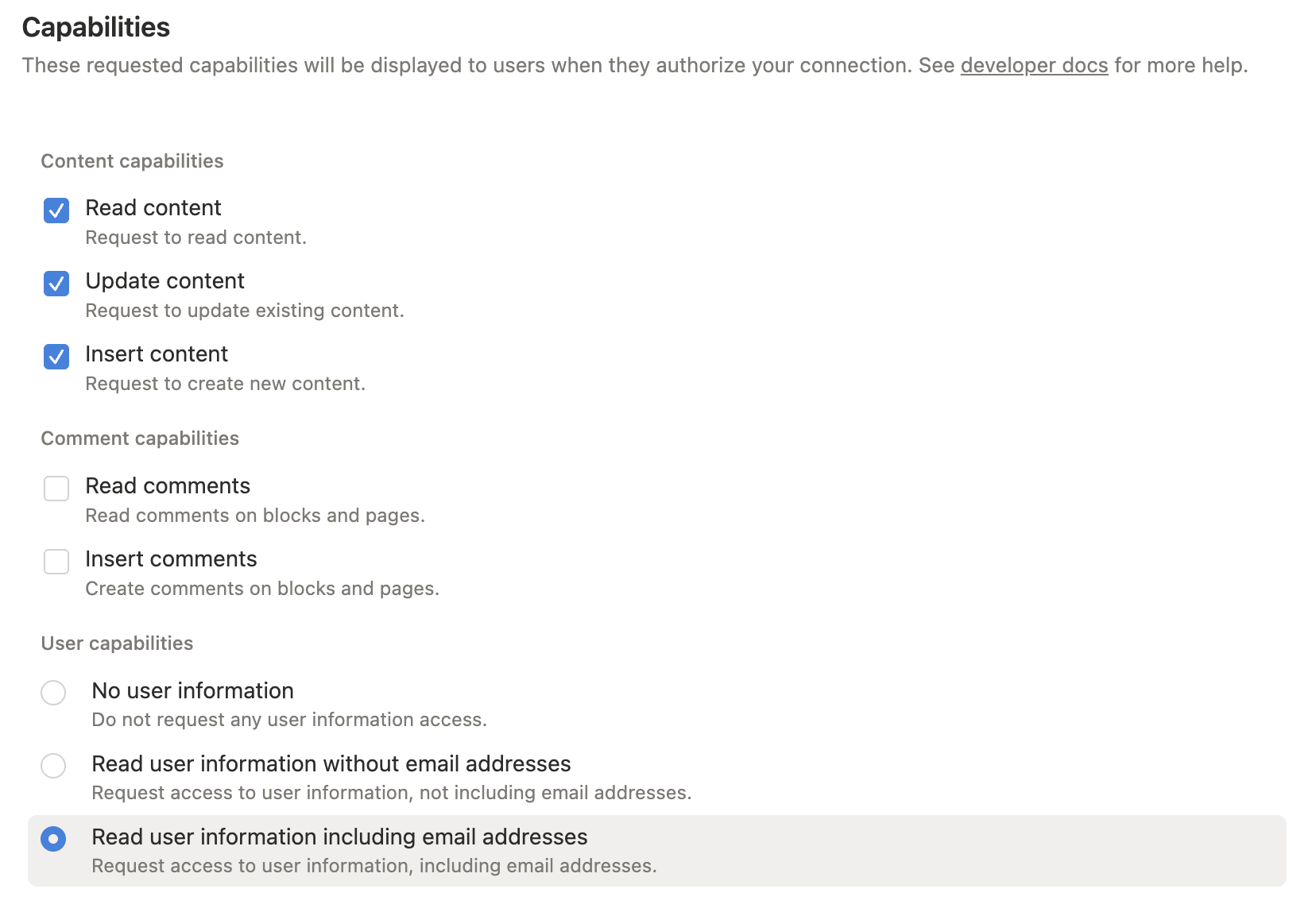
Grant only the capabilities you need:
For full functionality during setup, enable read, insert, and update content. Add comment or user capabilities only if you plan to use those tools.
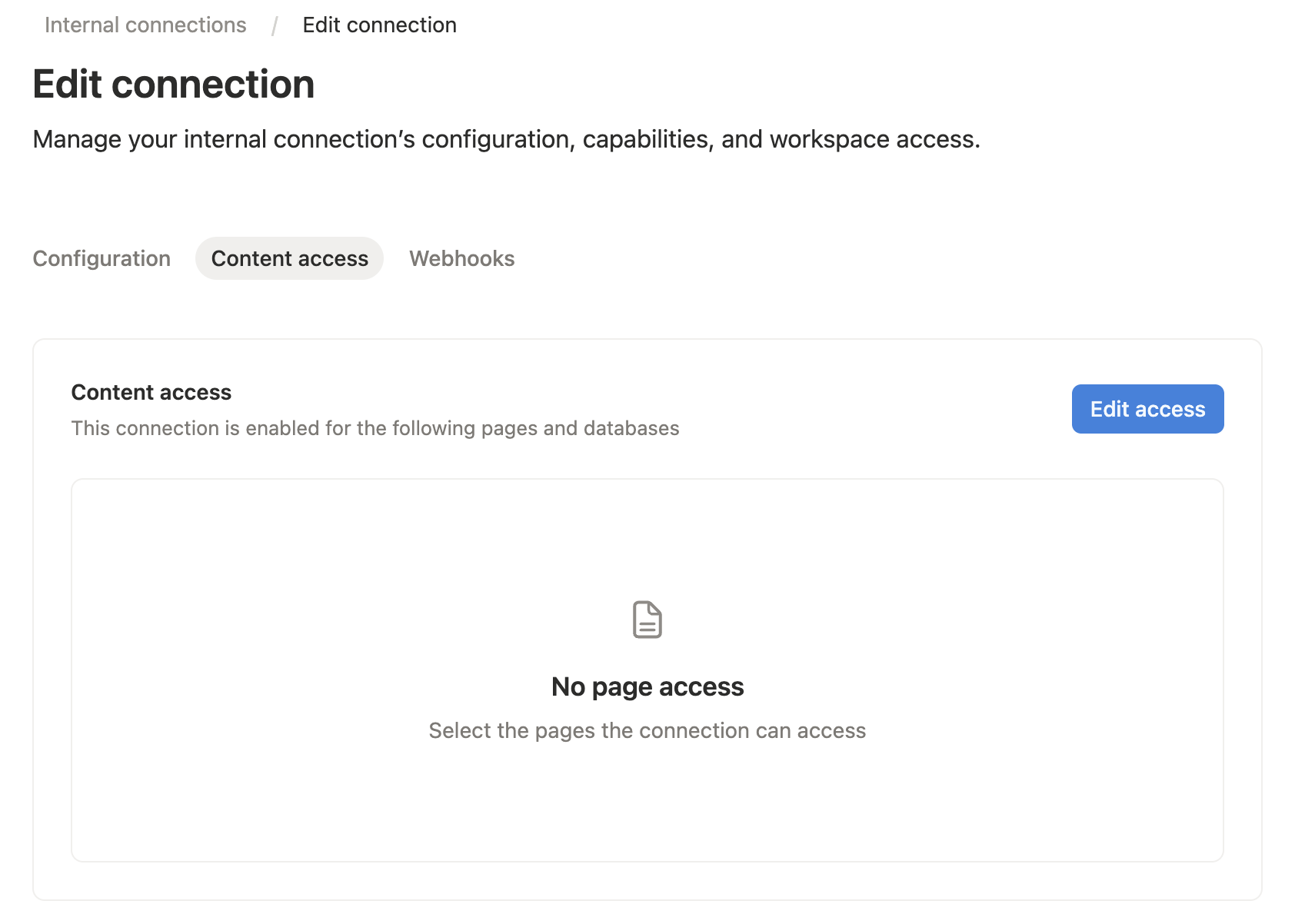
Open the Content access tab for your integration, then select the pages or databases you want the MCP server to read or edit.
You can also grant access from the target Notion page or database: open the ... menu, choose Connections, then add your integration.
Notion only lets an integration access pages and databases that have been shared with it. A connection added to a page can also access that page's children.
Copy the integration secret. This value becomes NOTION_API_TOKEN in your MCP host config.

For Cursor, Claude Desktop, and other MCP hosts, add this server config to your MCP settings:
{
  "mcpServers": {
    "notion": {
      "command": "npx",
      "args": ["-y", "@suekou/mcp-notion-server"],
      "env": {
        "NOTION_API_TOKEN": "secret_xxxxxxxxxxxxxxxxxxxxxxxxxxxxxxxxxxxxxxxxxxx"
      }
    }
  }
}
For a locally built checkout:
{
  "mcpServers": {
    "notion": {
      "command": "node",
      "args": ["/absolute/path/to/suekou-mcp-notion-server/build/index.js"],
      "env": {
        "NOTION_API_TOKEN": "secret_xxxxxxxxxxxxxxxxxxxxxxxxxxxxxxxxxxxxxxxxxxx"
      }
    }
  }
}
notion_find to locate a page or data source.notion_read_page for page context and editable block IDs.notion_inspect_data_source before querying or creating data source items.notion_query_data_source_by_values and notion_create_data_source_item_from_values for common data source work.notion_append_markdown, notion_append_content, notion_update_content, or notion_update_content_batch for normal page edits.These references are mainly for development, customization, and advanced MCP workflows:
This project uses Node.js 22 or newer and pnpm.
pnpm install --frozen-lockfile
pnpm run build
pnpm test
Use the MCP inspector during local development:
pnpm run inspector
This MCP server is licensed under the MIT License. This means you are free to use, modify, and distribute the software, subject to the terms and conditions of the MIT License. For more details, please see the LICENSE file in the project repository.
github/github-mcp-server33k
 jgravelle/jcodemunch-mcp2.7k
Cut AI token costs 95%+ on code exploration. The leading MCP server for precise, symbol-level GitHub code retrieval via tree-sitter AST. Works with Claude Code, Cursor & any MCP client. 313B+ tokens saved.
项目与协作

 korotovsky/slack-mcp-server1.9k
The most powerful MCP Slack Server with no permission requirements, Apps support, GovSlack, DMs, Group DMs and smart history fetch logic.
项目与协作

 atlassian/atlassian-mcp-server1.1k
Connect to Atlassian Jira, Confluence, Loom, and more to search, create, and manage your work.
项目与协作

 riponcm/projectmem852
Open-source coding agents memory. Records issues, attempts, fixes and decisions, then warns your agent before it repeats an approach that already failed. Native MCP server for Claude Code, Cursor, Antigravity and Codex. 100% local, no cloud, no telemetry. MIT.
项目与协作

 mnemox-ai/idea-reality-mcp821
Pre-build reality check for AI coding agents. Scans GitHub, HN, npm, PyPI, Product Hunt. MCP server. 290+ stars.
项目与协作