Creating a pull request summary with GitHub Copilot
Generate an AI-powered summary of your pull request changes to help reviewers quickly understand what you changed and why.
Generate a pull request summary
GitHub Copilot can summarize a pull request in the description field or as a comment, helping reviewers quickly understand what changed.
GitHub Copilot does not take into account any existing content in the pull request description, so start with a blank description for best results.
-
On GitHub, create a pull request or navigate to an existing pull request.
-
Click in the description field (or the comment field at the bottom of the page).
-
In the header of the text field, select Copilot actions, then click Summary.
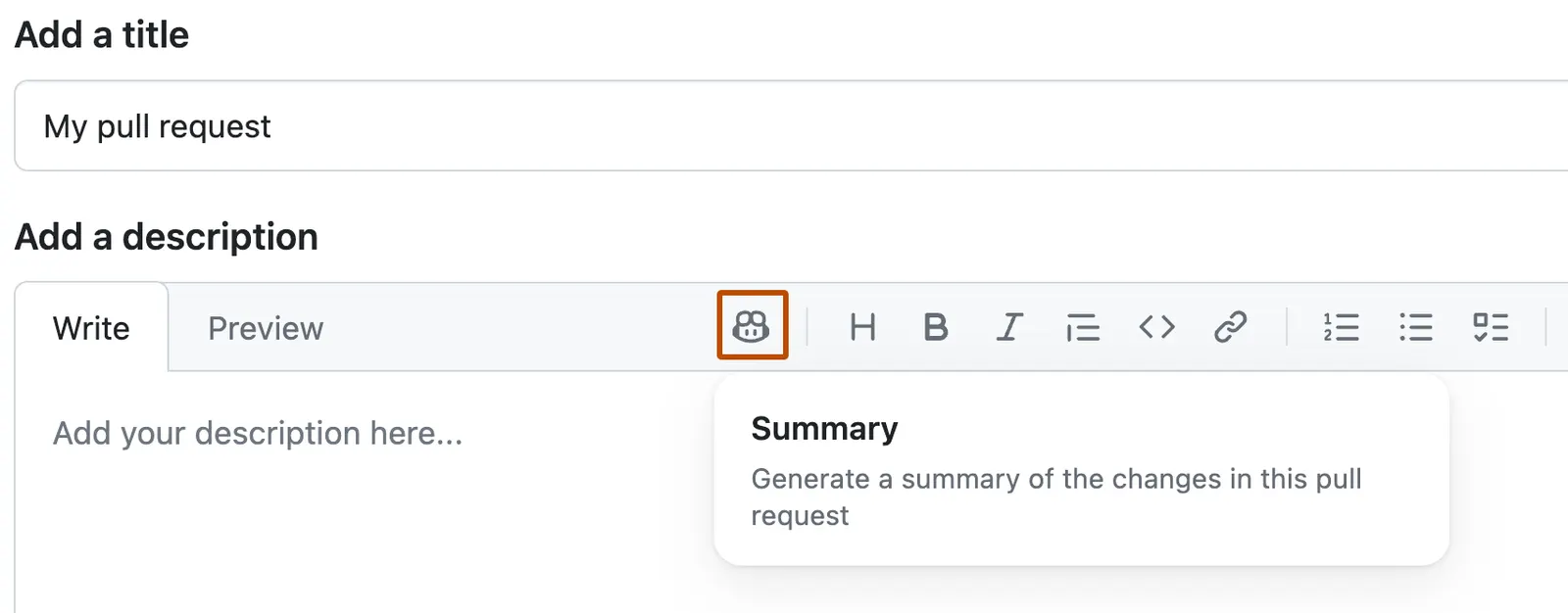
-
Review the generated summary carefully. Add any additional context, then click Create pull request or Update comment.