Terminal Blocks overview
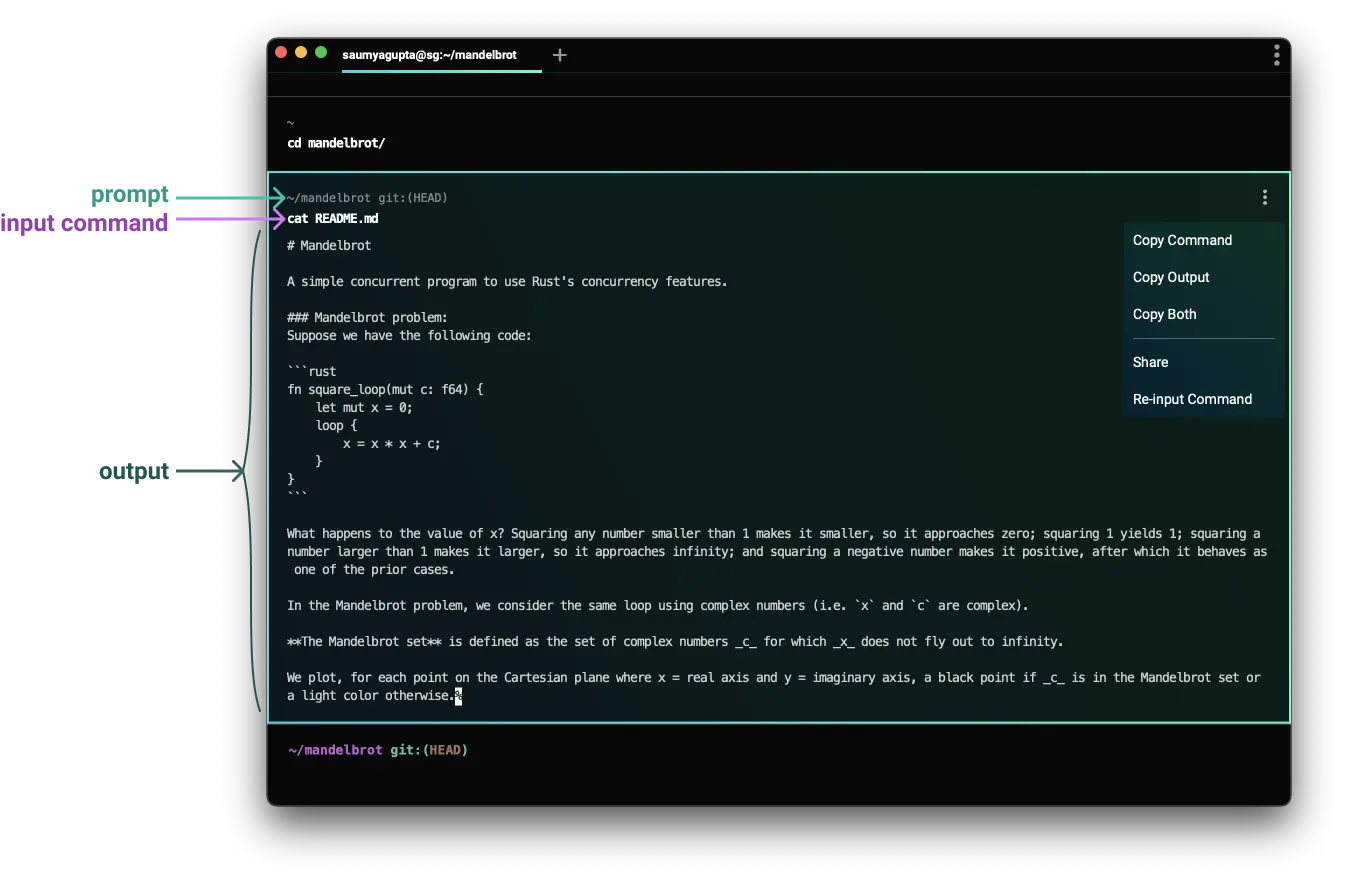
A Block groups commands and outputs into one atomic unit.
Blocks are Warp's fundamental unit for organizing terminal output. Every command and its output is grouped into a single Block that you can copy, search, filter, bookmark, share, and navigate independently — replacing the endless scroll of traditional terminals with structured, actionable output.
What are Blocks?
Blocks enable us to easily:
- Copy a command
- Copy a command’s output
- Scroll directly to the start of a command’s output
- Re-input commands
- Share both a command and its output (with formatting!)
- Bookmark commands
Interested in how we differentiate input and output, or how we implement blocks? Check out our blog post: How Warp Works.