
 ahujasid/mcp-for-blender30k
mcp-for-blender
Community plugin to control Blender 3D with any LLM of your choice. Not affiliated with the official Blender Foundation.
AI & agents

It's a plugin extension in Zotero. Zotero MCP Plugin enables integration between AI assistants and Zotero through MCP. Zotero MCP Plugin 是一个 Zotero 插件,通过 MCP协议实现 AI 助手与 Zotero深度集成。插件支持文献检索、元 数据管理、全文分析和智能问答等功能,让 Claude、ChatGPT 等 AI 工具能够直接访问和操作您的文献库。
Zotero MCP is an open-source project designed to seamlessly integrate powerful AI capabilities with the leading reference management tool, Zotero, through the Model Context Protocol (MCP). This project consists of two core components: a Zotero plugin and an MCP server, which work together to provide AI assistants (like Claude) with the ability to interact with your local Zotero library.
This README is also available in: :cn: 简体中文 | :gb: English.





| MP | Forum |
|---|---|
 |  |
The Zotero MCP server is a tool server based on the Model Context Protocol that provides seamless integration with the Zotero reference management system for AI applications like Claude Desktop. Through this server, AI assistants can:
This enables AI assistants to help you with literature reviews, citation management, content analysis, annotation organization, knowledge base management, and more.
This project now features a unified architecture with an integrated MCP server:
zotero-mcp-plugin/: A Zotero plugin with integrated MCP server that communicates directly with AI clients via Streamable HTTP protocolIMG/: Screenshots and documentation imagesREADME.md / README-zh.md: Documentation filesUnified Architecture:
AI Client ↔ Streamable HTTP ↔ Zotero Plugin (with integrated MCP server)
This eliminates the need for a separate MCP server process, providing a more streamlined and efficient integration.
This guide is intended to help general users quickly configure and use Zotero MCP, enabling your AI assistant to work seamlessly with your Zotero library.
What is Zotero MCP?
Simply put, Zotero MCP is a bridge connecting your AI client (like Cherry Studio, Gemini CLI, Claude Desktop, etc.) and your local Zotero reference management software. It allows your AI assistant to directly search, query, and cite references from your Zotero library, greatly enhancing academic research and writing efficiency.
Two-Step Quick Start:
Install the Plugin:
zotero-mcp-plugin-x.x.x.xpi file..xpi file via Tools -> Add-ons.Configure the Plugin:
Preferences -> Zotero MCP Plugin tab, configure your connection settings:
23120 (you can change this if needed)Important: The Zotero plugin now includes an integrated MCP server that uses the Streamable HTTP protocol. No separate server installation is needed.
The plugin uses Streamable HTTP, which enables real-time bidirectional communication with AI clients:
For detailed client-specific configuration instructions, see the Chinese README.
zotero-mcp-plugin.xpi from the Releases Page.Tools -> Add-ons.Preferences -> Zotero MCP Plugin.Clone the repository:
git clone https://github.com/cookjohn/zotero-mcp.git
cd zotero-mcp
Set up the plugin development environment:
cd zotero-mcp-plugin
npm install
npm run build
Load the plugin in Zotero:
# For development with auto-reload
npm run start

# Or install the built .xpi file manually
npm run build
The plugin includes an integrated MCP server that uses Streamable HTTP:
Example configuration for Claude Desktop:
{
  "mcpServers": {
    "zotero": {
      "transport": "streamable_http",
      "url": "http://127.0.0.1:23120/mcp"
    }
  }
}
zotero-mcp-plugin FeaturesHere are some screenshots demonstrating the functionality of Zotero MCP:
| Feature | Screenshot |
|---|---|
| Feature Demonstration | 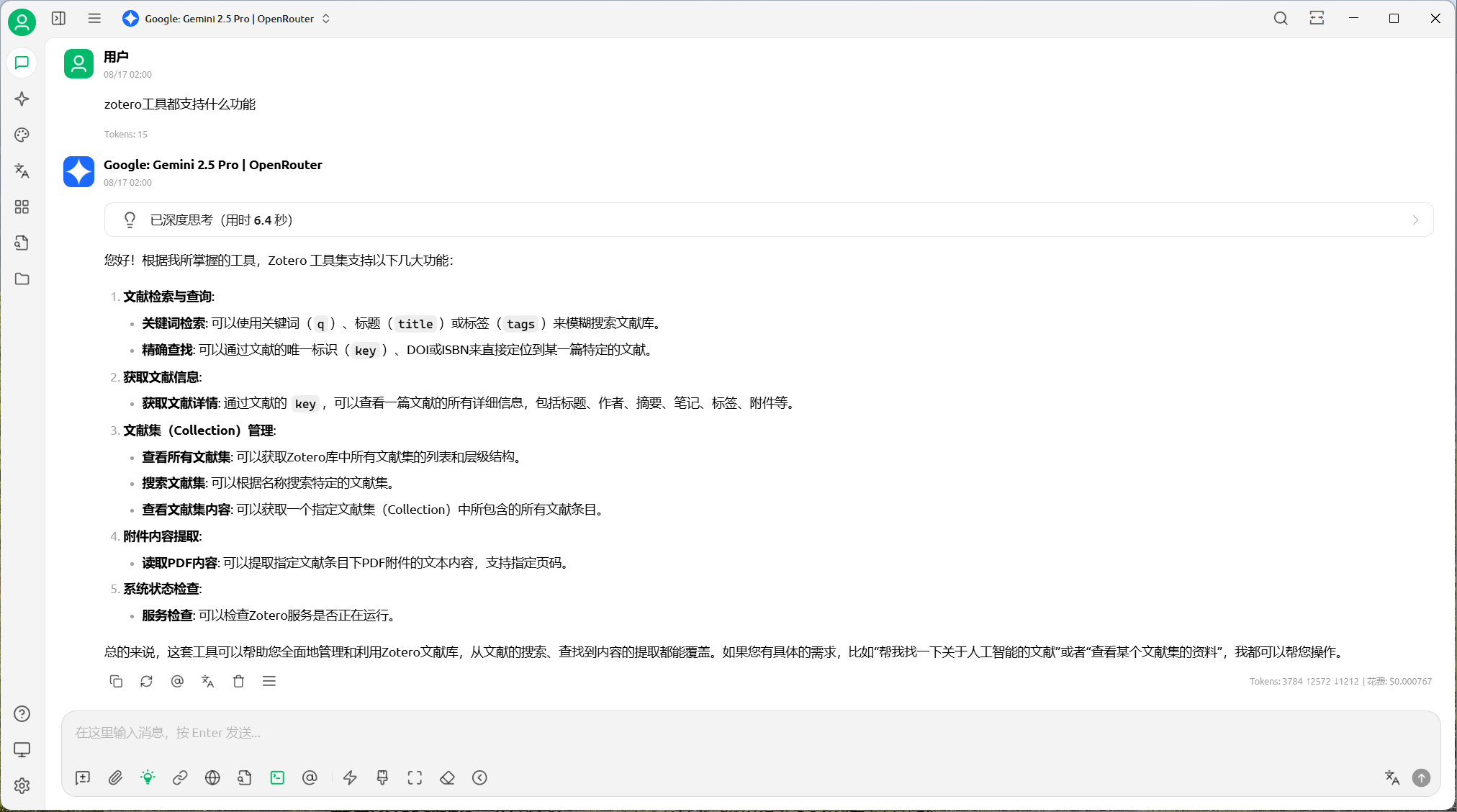 |
| Literature Search | 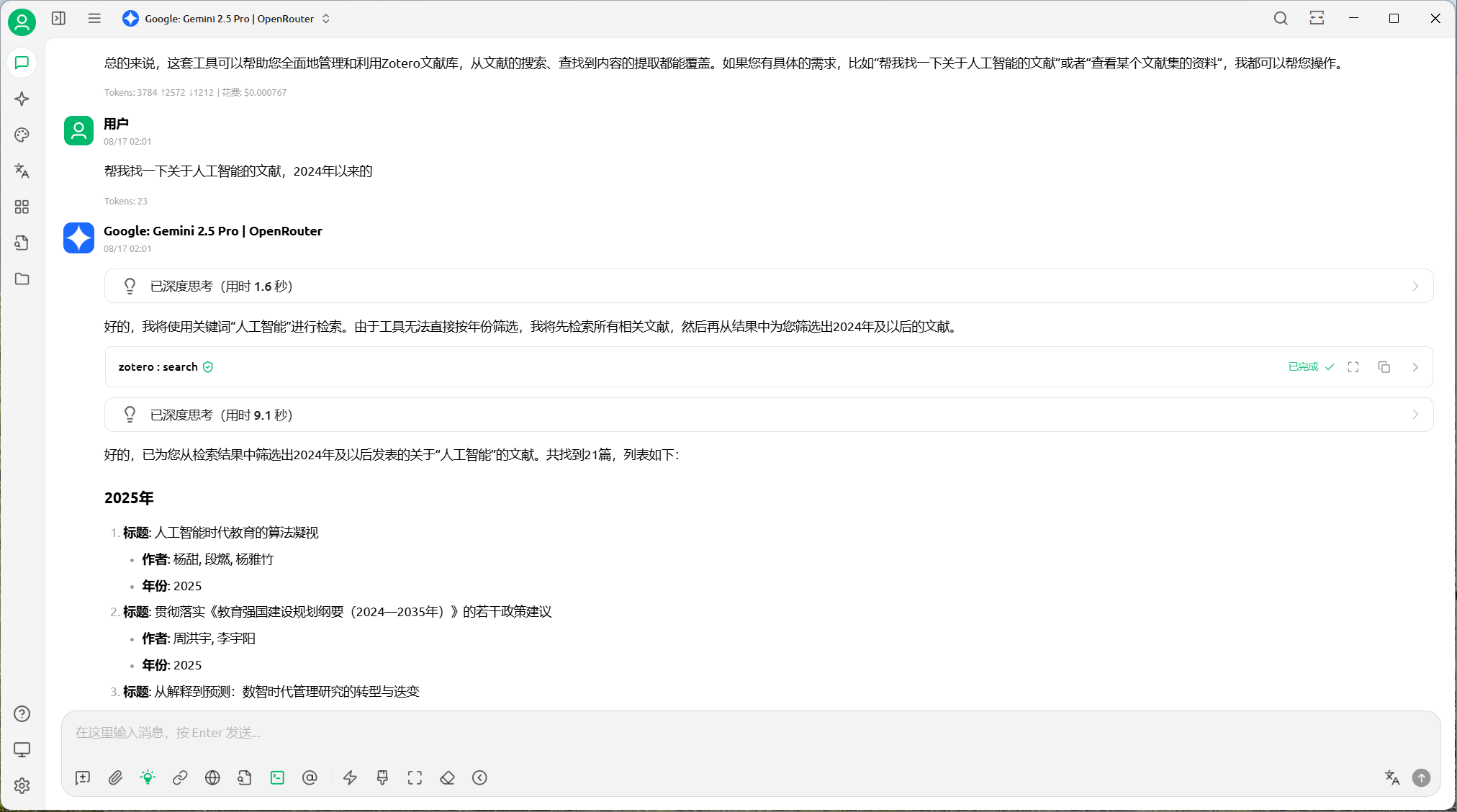 |
| Viewing Metadata | 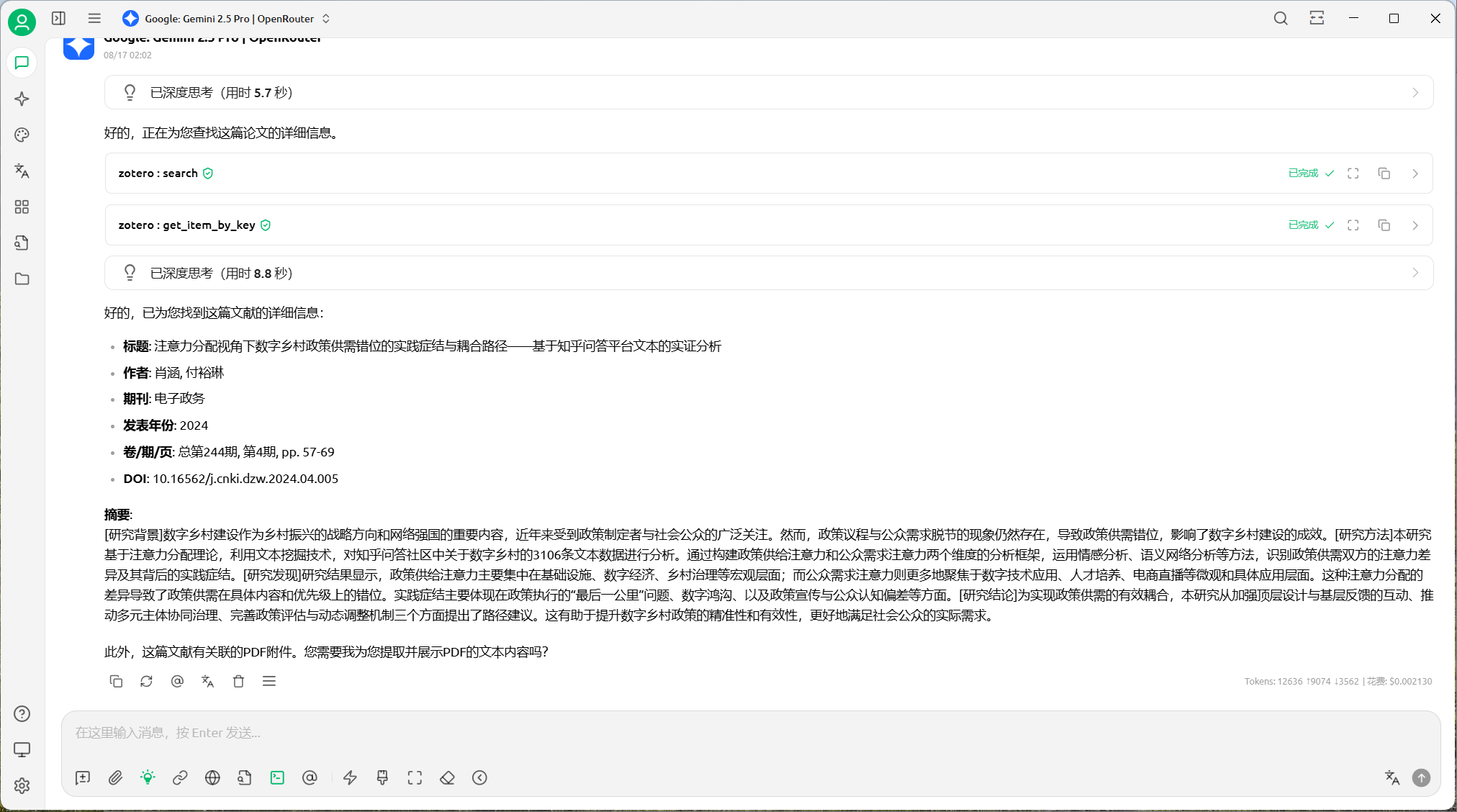 |
| Full-text Reading 1 | 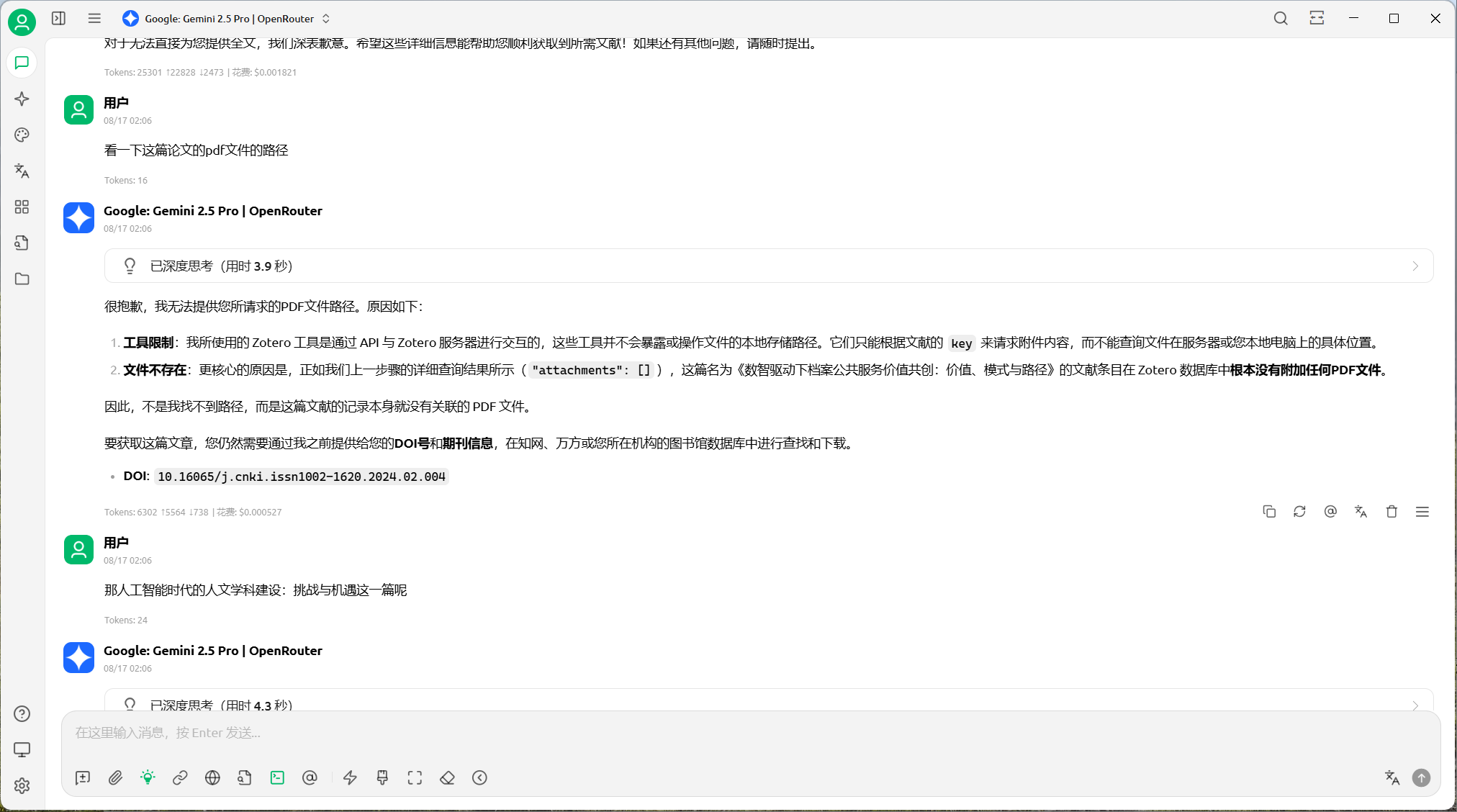 |
| Full-text Reading 2 | 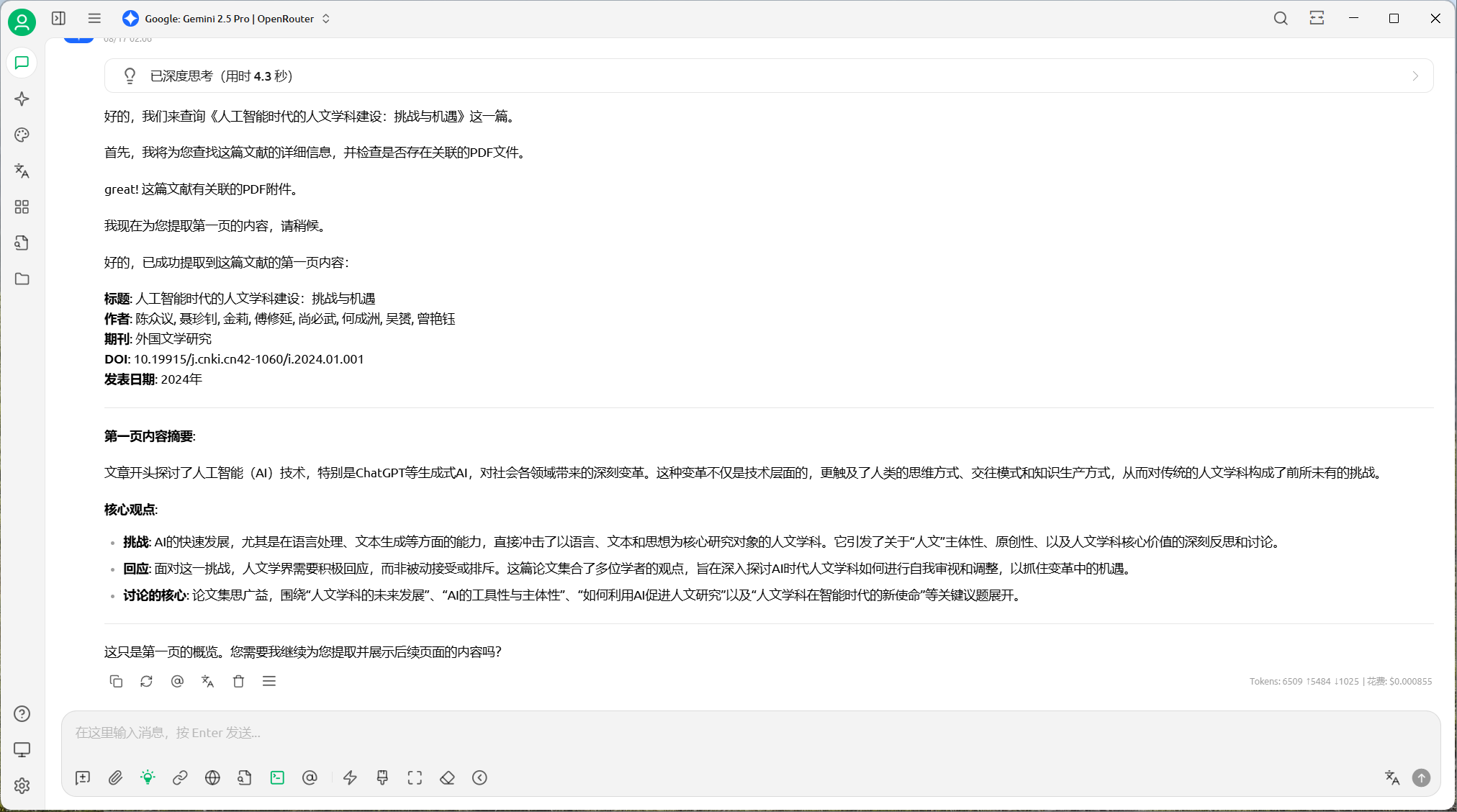 |
| Searching Attachments (Gemini CLI) | 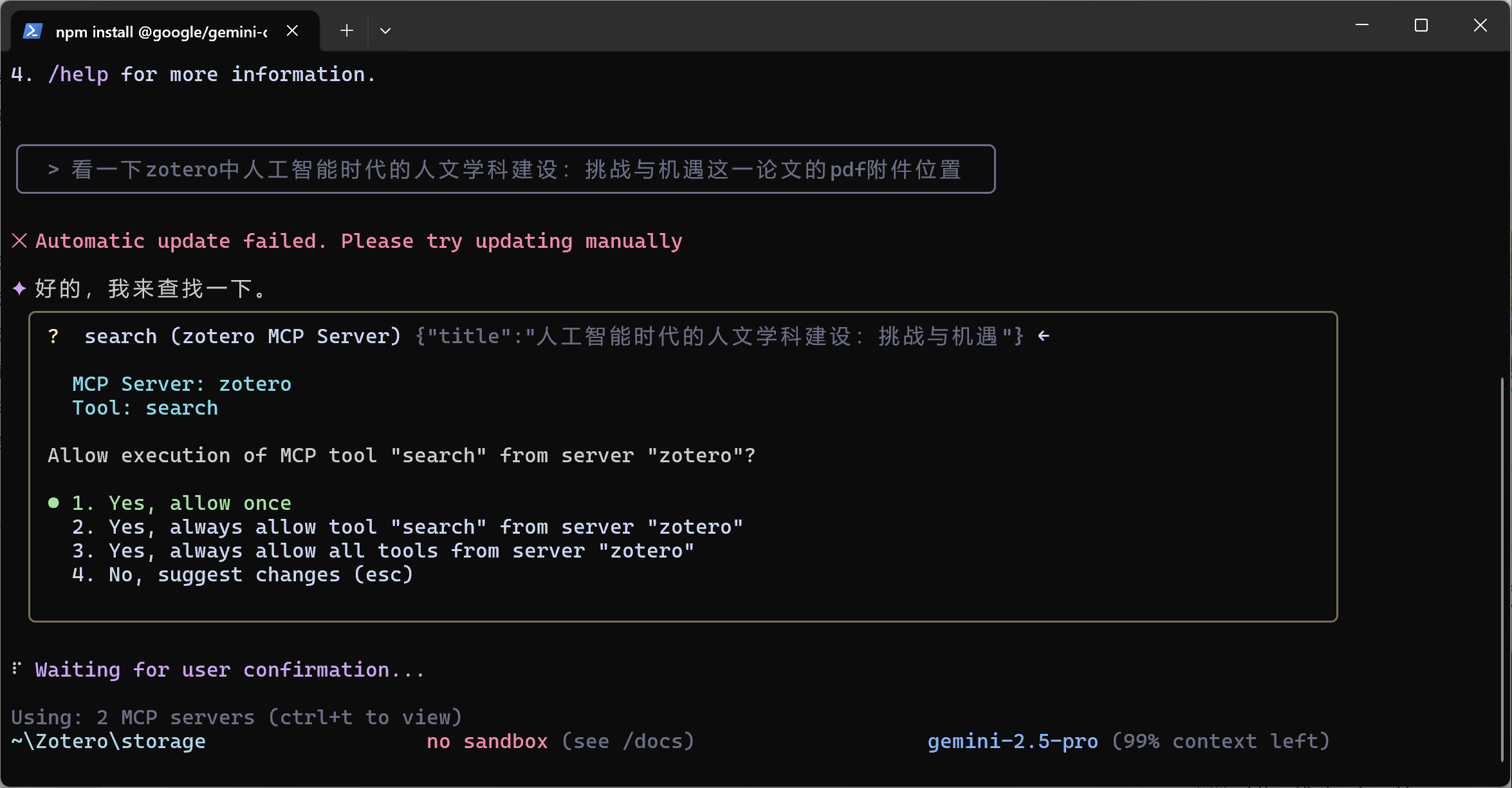 |
| Reading PDF (Gemini CLI) | 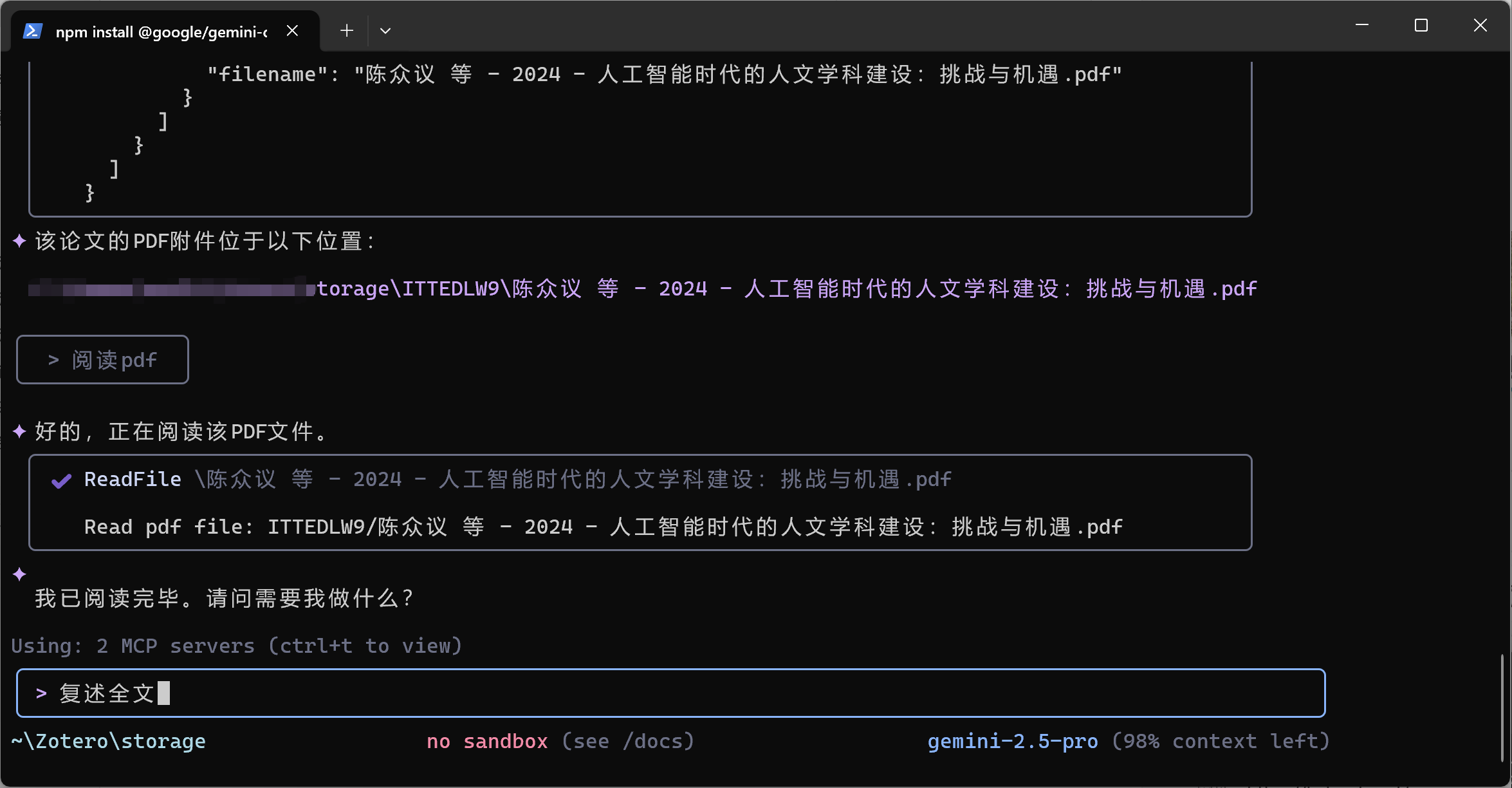 |
The integrated MCP server provides 29 tools in 5 categories:
search_libraryAdvanced library search with multi-dimensional filtering, boolean operators, relevance scoring, and intelligent mode control.
q, title, titleOperator, yearRange, fulltext, fulltextMode, itemType, includeAttachments, mode (minimal/preview/standard/complete), relevanceScoring, sort, limit, offsetsearch_annotationsSearch annotations by query, colors, or tags with intelligent ranking.
q, itemKeys, types (note/highlight/annotation/ink/text/image), colors, tags, mode, limit, offsetsearch_fulltextFull-text search across all document content with context snippets.
q (required), itemKeys, mode, contextLength, caseSensitivesearch_collectionsSearch collections by name. Params: q, limit.
get_item_detailsGet complete metadata for a single item. Params: itemKey (required), mode.
get_item_abstractGet item abstract/summary. Params: itemKey (required), format (json/text).
get_contentUnified content extraction: PDF full-text, notes, abstracts, webpage snapshots from items or specific attachments.
itemKey, attachmentKey, mode, include (pdf/attachments/notes/abstract/webpage), contentControl, format (json/text)get_collectionsGet all collections. Params: mode, limit, offset.
get_collection_detailsGet details of a specific collection. Params: collectionKey (required).
get_collection_itemsGet items in a collection. Params: collectionKey (required), limit, offset.
get_subcollectionsGet subcollections. Params: collectionKey (required), limit, offset, recursive.
semantic_searchAI-powered semantic search using embedding vectors. Finds conceptually related content even without exact keyword matches.
query (required), topK, minScore, language (zh/en/all)find_similarFind items semantically similar to a given item.
itemKey (required), topK, minScoresemantic_statusGet semantic search service status and index statistics. No parameters required.
fulltext_databaseAccess cached full-text content database (read-only).
action (required: list/search/get/stats), query, itemKeys, limitwrite_noteCreate or modify Zotero notes. Supports Markdown auto-conversion to HTML.
action (required: create/update/append), parentKey, noteKey, content (required), tagswrite_tagAdd, remove, or replace tags on items.
action (required: add/remove/set), itemKey (required), tags (required)write_metadataUpdate metadata fields on items (title, abstract, date, DOI, creators, etc.).
itemKey (required), fields, creatorswrite_itemCreate new items, reparent existing attachments, or import local files as attachments.
action (required: create/reparent/import), itemType, fields, creators, tags, attachmentKeys, parentKey, filePath, parentItemKey, title, linkMode (import: imported_file copies into Zotero storage, linked_file links in place — personal library only), libraryIDadd_by_identifierImport items by identifier (DOI, arXiv, ISBN, PMID, ADS bibcode) using Zotero's native resolvers — the same pipeline as the desktop "magic wand", including translator metadata and automatic attachment fetching.
identifiers (required), libraryID, collectionKey, saveAttachments, duplicates, titleDuplicates, dryRun, async, jobIDtrash_itemMove one or more items to Zotero Trash. Items stay recoverable until the user empties Trash; permanent deletion is not supported (permanent is rejected).
itemKeys (required, array of item keys; deduplicated), libraryIDContributions are welcome! Please feel free to submit pull requests, report issues, or suggest enhancements.
git checkout -b feature/AmazingFeature).git commit -m 'Add some AmazingFeature').git push origin feature/AmazingFeature).This project is licensed under the MIT License.
 Contact us
ahujasid/mcp-for-blender30k
Contact us
ahujasid/mcp-for-blender30kCommunity plugin to control Blender 3D with any LLM of your choice. Not affiliated with the official Blender Foundation.
AI & agents

 oraios/serena30k
A powerful MCP toolkit for coding, providing semantic retrieval and editing capabilities - the IDE for your agent
AI & agents

 agentskills/agentskills26k
Search and discover Agent Skills from the skills.sh registry. Powered by HAPI MCP server.
AI & agents

 activepieces/activepieces25k
AI Agents & MCPs & AI Workflow Automation • (~400 MCP servers for AI agents) • AI Automation / AI Agent with MCPs • AI Workflows & AI Agents • MCPs for AI Agents
AI & agents

 czlonkowski/n8n-mcp23k
A MCP for Claude Desktop / Claude Code / Windsurf / Cursor to build n8n workflows for you
AI & agents

 xpzouying/xiaohongshu-mcp16k