
 ahujasid/mcp-for-blender30k
mcp-for-blender
Community plugin to control Blender 3D with any LLM of your choice. Not affiliated with the official Blender Foundation.
AI & agents

A Model Context Protocol server that executes commands in the current iTerm session - useful for REPL and CLI assistance
A Model Context Protocol server that provides access to your iTerm session.
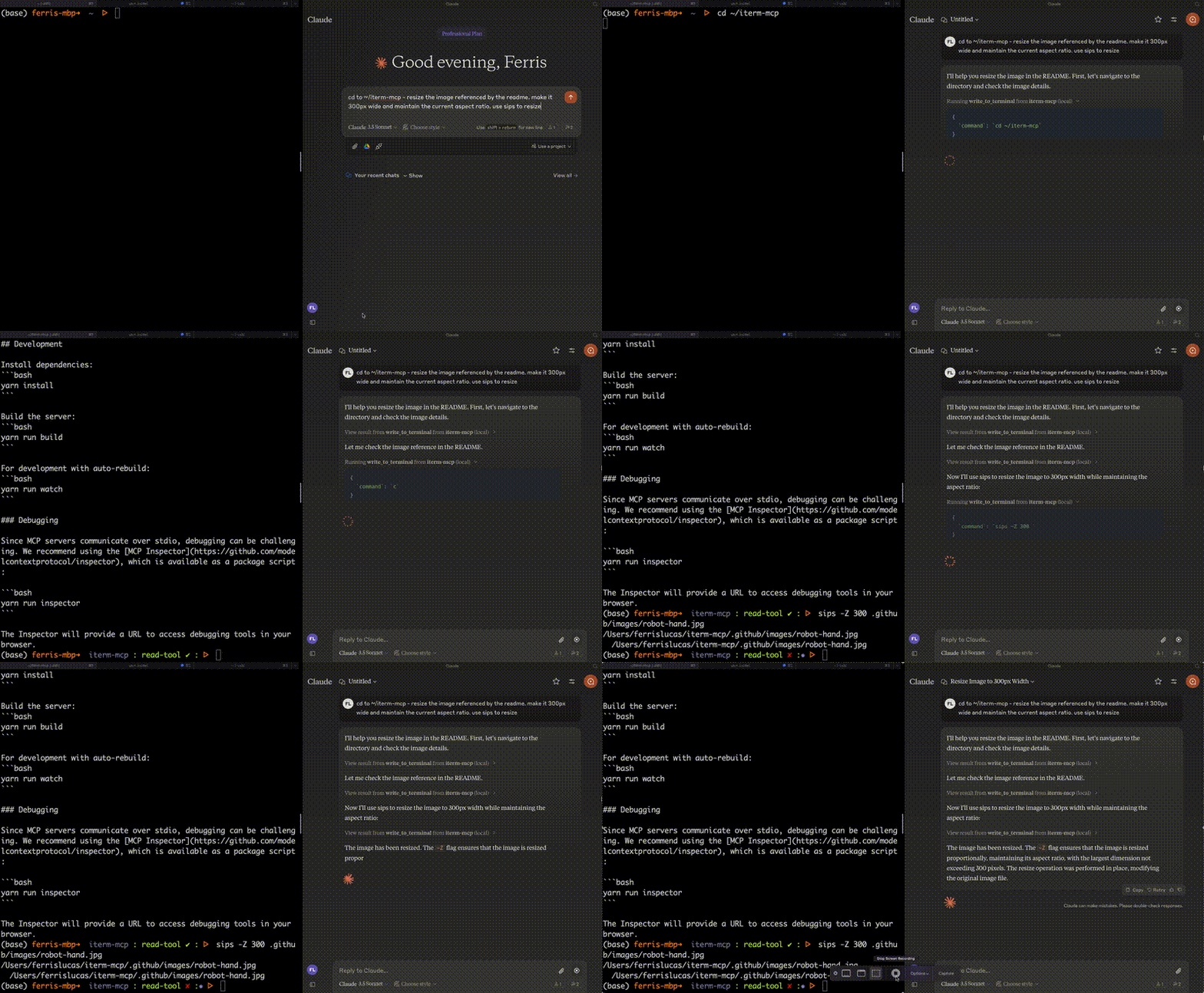
Efficient Token Use: iterm-mcp gives the model the ability to inspect only the output that the model is interested in. The model typically only wants to see the last few lines of output even for long running commands.
Natural Integration: You share iTerm with the model. You can ask questions about what's on the screen, or delegate a task to the model and watch as it performs each step.
Full Terminal Control and REPL support: The model can start and interact with REPL's as well as send control characters like ctrl-c, ctrl-z, etc.
Easy on the Dependencies: iterm-mcp is built with minimal dependencies and is runnable via npx. It's designed to be easy to add to Claude Desktop and other MCP clients. It should just work.
write_to_terminal - Writes to the active iTerm terminal, often used to run a command. Returns the number of lines of output produced by the command.read_terminal_output - Reads the requested number of lines from the active iTerm terminal.send_control_character - Sends a control character to the active iTerm terminal.To use with Claude Desktop, add the server config:
On macOS: ~/Library/Application Support/Claude/claude_desktop_config.json
On Windows: %APPDATA%/Claude/claude_desktop_config.json
{
  "mcpServers": {
    "iterm-mcp": {
      "command": "npx",
      "args": [
        "-y",
        "iterm-mcp"
      ]
    }
  }
}
To install iTerm for Claude Desktop automatically via Smithery:
npx -y @smithery/cli install iterm-mcp --client claude
Install dependencies:
yarn install
Build the server:
yarn run build
For development with auto-rebuild:
yarn run watch
Since MCP servers communicate over stdio, debugging can be challenging. We recommend using the MCP Inspector, which is available as a package script:
yarn run inspector
yarn debug <command>
The Inspector will provide a URL to access debugging tools in your browser.
ahujasid/mcp-for-blender30kCommunity plugin to control Blender 3D with any LLM of your choice. Not affiliated with the official Blender Foundation.
AI & agents

 oraios/serena30k
A powerful MCP toolkit for coding, providing semantic retrieval and editing capabilities - the IDE for your agent
AI & agents

 agentskills/agentskills26k
Search and discover Agent Skills from the skills.sh registry. Powered by HAPI MCP server.
AI & agents

 activepieces/activepieces25k
AI Agents & MCPs & AI Workflow Automation • (~400 MCP servers for AI agents) • AI Automation / AI Agent with MCPs • AI Workflows & AI Agents • MCPs for AI Agents
AI & agents

 czlonkowski/n8n-mcp23k
A MCP for Claude Desktop / Claude Code / Windsurf / Cursor to build n8n workflows for you
AI & agents

 xpzouying/xiaohongshu-mcp16k