Keploy
End-to-end API testing — generate and run tests from OpenAPI, curl, Postman, or real user traffic.
KEkeploy/keploy19k近 7 天新增 36 个 star
Let an AI agent see and use a real Android phone over Wi-Fi, without ADB or root.
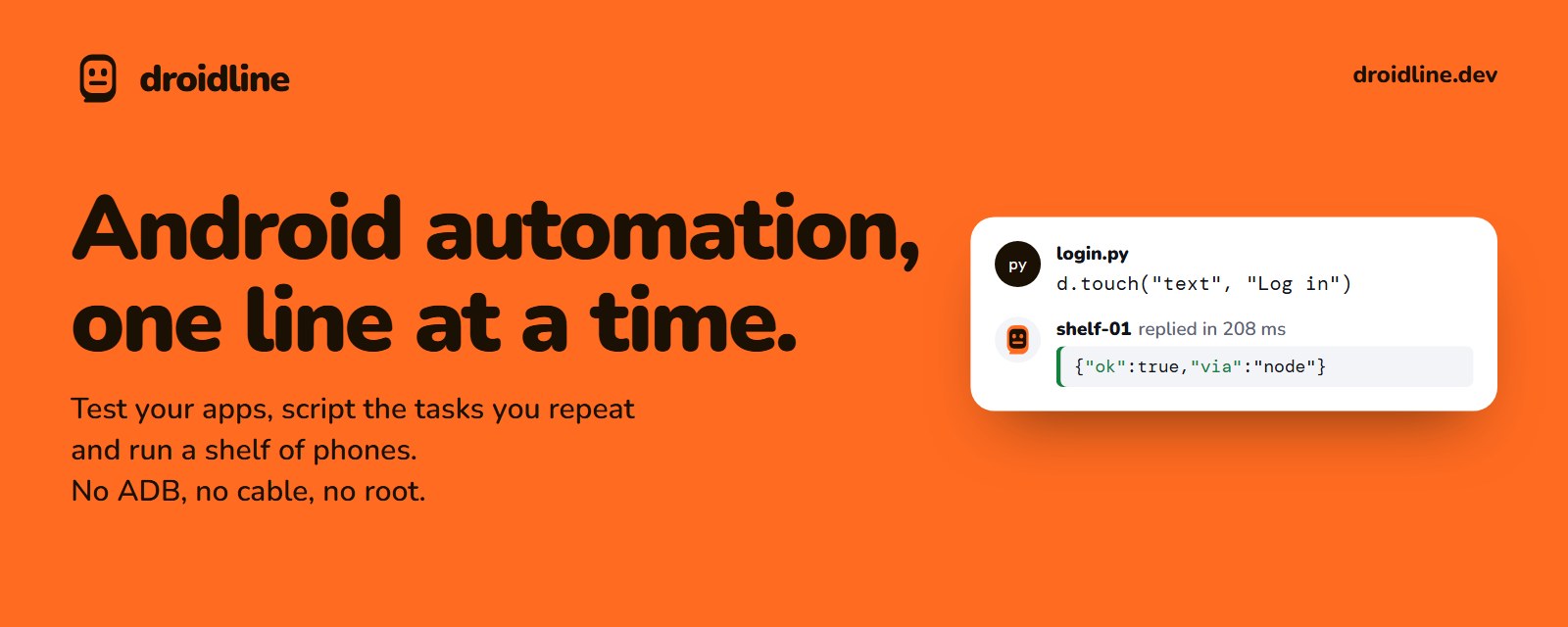
Automate real Android phones from your code.
Test your apps, script the tasks you repeat, run a shelf of phones, or let an AI agent use one.
Python, Node.js, the shell or HTTP. No ADB, no USB cable, no root.
Website · Docs · Download · Sponsor · Quick start · Languages · Guides




| No ADB, no cable Install one app on the phone, turn on its permissions and pair it with a QR code. No developer options, no USB debugging, no root. |
The same command everywheretouch is touch in Python, Node.js, the CLI, HTTP and as an MCP tool, all generated from one spec. |
Phones anywhere The phone connects out to your PC, so it works on the same Wi-Fi or on mobile data through a tunnel or a relay you run. Every line is encrypted end to end. |
Droidline uses only permissions an ordinary app can get, so a few things are out of reach: see What it cannot do.

Try the same demo in your browser, and pick elements on a simulated screen, on droidline.dev
You need a PC (Windows, macOS or Linux) and an Android phone with Android 9 or later, on the same Wi-Fi for a first try. The installation guide walks through each step with screenshots.
Run the server on your PC. Download the droidline archive for your system from Releases, put droidline on your PATH, and start it. Leave it running.
droidline serve
Install the app on the phone. Download droidline-agent.apk from the same release page and open it. On the app's Setup tab, turn on the accessibility service, the Droidline keyboard, notifications and unrestricted battery use. On Android 13 and later, allow restricted settings for the app first; the app shows where.
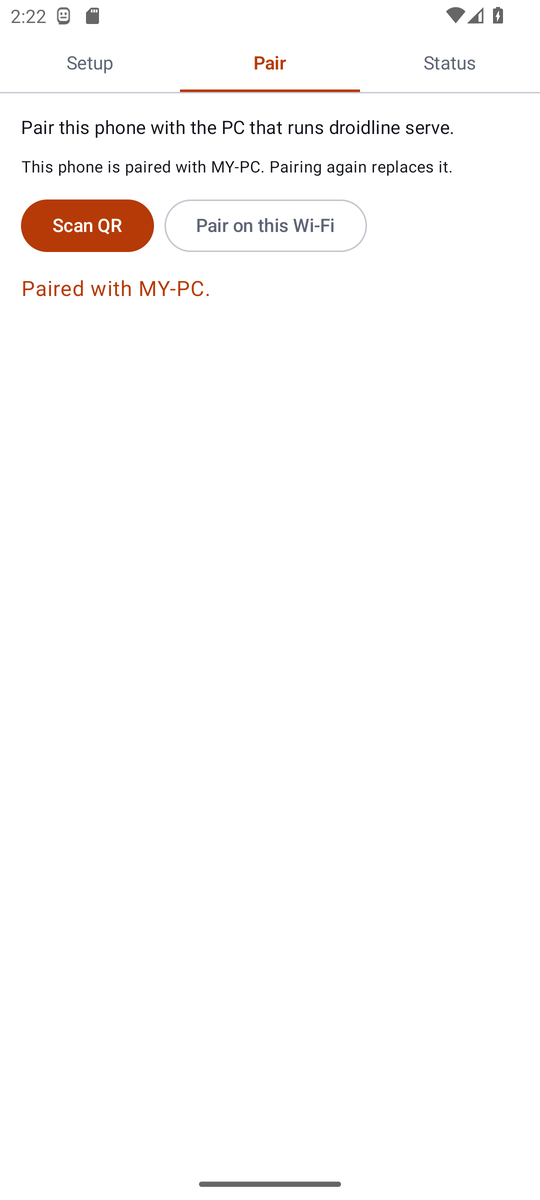
Pair them. Run this on the PC and scan the QR code with the app's Pair tab:
droidline pair
No camera? Tap Pair on this Wi-Fi in the app and type the 6-digit code it shows: droidline pair 482913.
Send a command.
droidline launch com.android.settings
droidline touch text "Network & internet"
No phone at hand? droidline-fakephone, included in every release, simulates one with a small demo app. The first-script tutorial builds a complete login script against it.
Every interface talks to droidline serve on localhost:8780 and uses the same command names.
Python (pip install droidline, Python 3.9+)
from droidline import connect

d = connect()                                  # the phone paired with this PC
d.launch("dev.droidline.demo")
if d.exists("text", "Close ad"):               # conditions never wait and never fail
    d.touch("text", "Close ad")
d.input("id", "email", "knife")                # waits up to 10 s for the element
d.touch("text", "Log in")
print(d.get_text("id", "greeting"))
Node.js and TypeScript (npm install droidline, Node.js 18+)
import { connect } from "droidline";

const d = await connect();
await d.launch("dev.droidline.demo");
await d.input("id", "email", "knife");
await d.touch("text", "Log in", { timeout: 15 });
console.log(await d.getText("id", "greeting"));
C# and .NET (dotnet add package Droidline, .NET 8+ or .NET Framework 4.6.2+)
using Droidline;

await using var d = await DroidlineClient.ConnectAsync();
await d.LaunchAsync("dev.droidline.demo");
await d.InputAsync("id", "email", "knife");
await d.TouchAsync("text", "Log in", timeout: 15);
Console.WriteLine(await d.GetTextAsync("id", "greeting"));
Command line (comes with the server)
droidline touch text "Log in"
droidline which text="Log in" id=main_tab --timeout 15
droidline screenshot shot.png
HTTP (any language, any tool)
curl -s -X POST localhost:8780/devices/_/touch \
  -H 'content-type: application/json' -d '{"by":"text","value":"Log in"}'
AI agents over MCP (Claude, Cursor, VS Code and others)
{ "mcpServers": { "droidline": { "command": "droidline", "args": ["mcp"] } } }
With Claude Code: claude mcp add droidline -- droidline mcp. In Claude Desktop you can instead open droidline.mcpb from Releases, which carries its own droidline; it is also listed in the MCP Registry as io.github.KnifeLemon/droidline. To give an agent fewer tools, add --tools dump,screenshot,touch or --read-only to the args; see Limit what an agent can use. Other languages can open a TCP socket and send one JSON line per command; see Other languages for Go, Java and PHP.
dump() returns the screen as a tree with text, id and desc for every element. Commands take the field and the value: touch("id", "login"). When an element refuses a click, Droidline taps its parent or the center of its bounds by itself.touch, input and wait wait for their element, 10 seconds by default. Conditions such as exists, checked and which answer at once and never throw for a missing element.NOT_FOUND: Could not find text 'Log in' within 10s. Current screen: com.example / .MainActivity.batch sent with cuts_network keeps running on the phone while it is offline, so airplane mode on, wait, off works as one call. intent opens the Settings page first; the recipes show it step by step.touch({"class": "android.widget.Switch", "row": {"text": "Wi-Fi"}}). find hands back elements you can click and search inside, and wait_idle waits until the screen stops changing.droidline inspect shows the screen and its elements, suggests selectors with code, and records a script while you use the phone. droidline webdriver lets Appium clients and scripts drive your phones. There is also a pytest plugin, leases for sharing phones between scripts, and picture and text matching for screens without elements.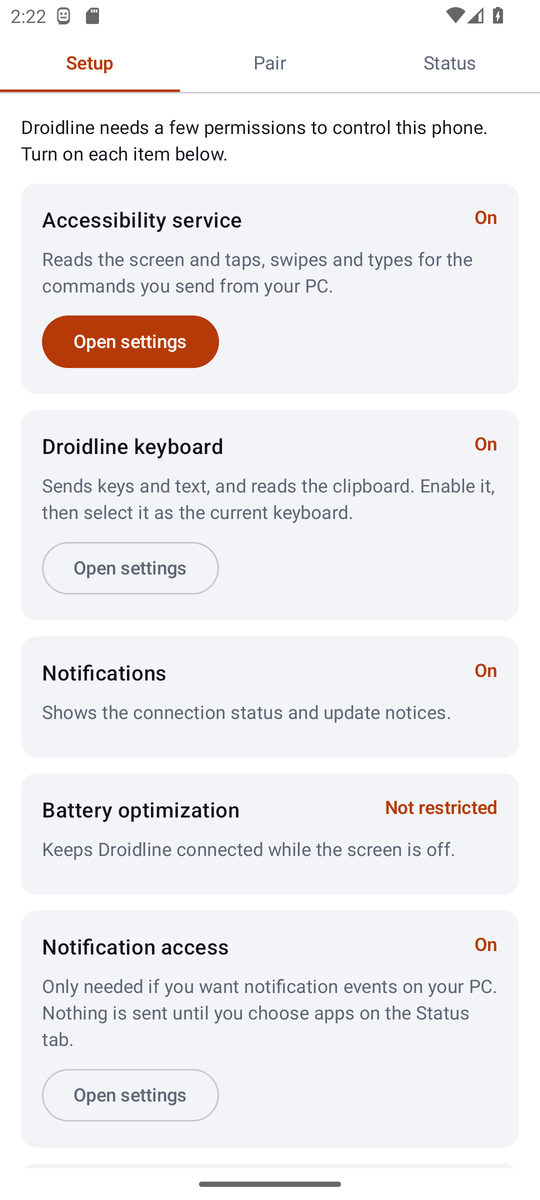 |
 |
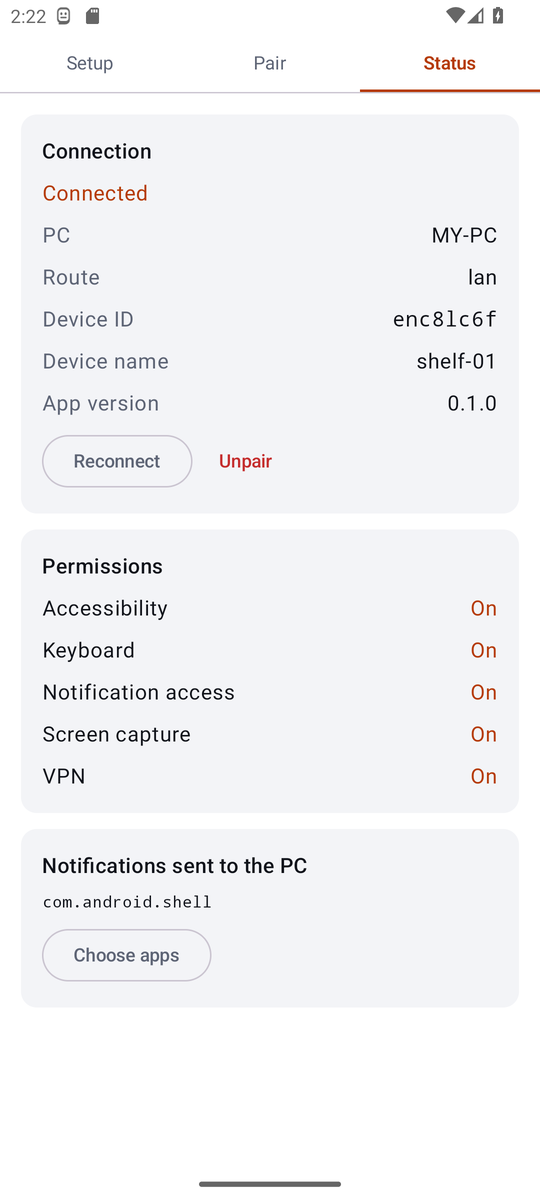 |
| Setup: each permission with a button to its settings screen | Pair: scan the QR code or use a 6-digit code | Status: connection, route and permissions |
The phone always opens the connection, so it needs no open port. Pick the route that fits your network; the phone tries them in order and returns to Wi-Fi when it can.
| Route | You need | How it works |
|---|---|---|
| Same Wi-Fi | Nothing | The phone finds the PC with a UDP broadcast and connects directly. |
| Port forward | One forwarded port | The phone connects to your public address over TLS, pinned to the PC's certificate. |
| Tunnel | cloudflared, ngrok or similar | Your PC keeps a tunnel open; the phone reaches it through the tunnel's address. |
| Your relay | Cloudflare Workers or a VPS | PC and phone both connect out to a relay you deploy. It forwards lines it cannot read. |
Past the two-line handshake every line is encrypted with keys only your PC and phone hold (P-256 and AES-256-GCM), so a tunnel or relay only carries ciphertext. The remote connection guides cover each route step by step.
Droidline only uses permissions an ordinary app can get, so some things are out of reach. Better to know before you start:
launch opens the start screen instead.clear_data wipes app data directly.tap with coordinates and color(x, y) there.The full list explains each one.
| I want to… | Start here |
|---|---|
| Install everything step by step | Installation |
| Write a first script without a phone | Your first script |
| Use my language | Python · Node.js · CLI · HTTP · AI agents |
| Find the right element on a screen | Finding elements |
| Open apps, links and Settings pages, or list what is installed | Apps |
| Point at elements, or record a script | Inspector and recorder |
| Run Appium scripts | Appium and WebDriver |
| Test with pytest or Node.js | Test frameworks |
| Copy a working pattern | Recipes |
| Look up a command | Command reference |
| Reach phones on mobile data | Remote phones |
| Fix something that does not work | Troubleshooting |
| Understand the wire format | spec/PROTOCOL.md |
Requirements: Go 1.26+, Node.js 22, Python 3.9+, and for the app, JDK 17+ with the Android SDK (Android Studio's bundled JDK works).
git clone https://github.com/KnifeLemon/Droidline.git
cd Droidline
go build ./server/cmd/...              # droidline, droidline-relay, droidline-fakephone
go test ./spec/ ./server/...
node scripts/gen.mjs --check           # SDK methods match spec/commands.json
cd sdk/python && python -m pytest
cd sdk/node && npm ci && npm test
dotnet test sdk/dotnet
cd agent && ./gradlew assembleDebug testDebugUnitTest
scripts/integration.sh runs the server, the simulated phone and both SDK demos together, which is what CI does.
| Path | What it is |
|---|---|
spec/ | commands.json (every command, in three languages), PROTOCOL.md, crypto test vectors |
server/ | Go: droidline (server, CLI, MCP), droidline-relay, droidline-fakephone |
agent/ | The Android app, in Kotlin |
sdk/python, sdk/node, sdk/dotnet | Official SDKs, generated from the spec plus a thin client |
relay/worker | A relay for Cloudflare Workers |
examples/ | Demo scripts that run against the simulated phone |
Pull requests are welcome; CONTRIBUTING.md explains how the spec, generator and tests fit together. The most useful contribution right now is a report from a real phone: which brand and Android version, and whether the Settings recipes for force stop, clearing data and the network switches work with its labels. If Droidline saves you some taps, a ⭐ helps other people find it.
Version 0.1. The server, CLI, MCP adapter, relay and both SDKs pass their tests against the phone simulator, and the app passes its unit tests and runs on an Android 13 emulator. Testing across phone brands is the next step. docs/STATUS.md lists exactly what has been verified and how.
Pairing decides who may control a phone, and everything after the handshake is encrypted end to end. Report security problems privately as described in SECURITY.md.
Droidline collects no usage data and sends no telemetry. The server listens on your own machine; the app talks only to the PC it is paired with, and to GitHub once a day to check for a new release. Use Droidline on phones and accounts you own or may automate; the terms say what it is for.
MIT. See LICENSE.
End-to-end API testing — generate and run tests from OpenAPI, curl, Postman, or real user traffic.
KEkeploy/keploy19k近 7 天新增 36 个 star
MCP server for iOS and Android Mobile Development, Automation and Testing
MOmobile-next/mobile-mcp9k近 7 天新增 329 个 star
MCP server for mobile app automation: verify, control, and debug iOS, Android, TV, and desktop apps
CAcallstack/agent-device5k近 7 天新增 84 个 star
Open-source MCP server for LinkedIn. Give Claude and any MCP-compatible AI agent access to profiles, companies, jobs, and messages.
STstickerdaniel/linkedin-mcp-server3.8k近 7 天新增 75 个 star
The ripgrep of AI context: a zero-dependency C++23 CLI + MCP server for coding agents. Find what you want without reading the repo, then check you built what you meant — blast radius, tests-to-run, quality deltas. Signatures at 74.7% fewer bytes than bodies; every guess labelled, every loss published. Paddle out with a map.
REredhat-et/ripwire2.4k近 7 天新增 33 个 star
An MCP client for Neovim that seamlessly integrates MCP servers into your editing workflow with an intuitive interface for managing, testing, and using MCP servers with your favorite chat plugins.
RAravitemer/mcphub.nvim1.8k近 7 天新增 2 个 star