Excalidraw Extension
Add Excalidraw MCP App as a goose Extension
This tutorial covers how to add the Excalidraw MCP App as a goose extension that enables goose to draw hand sketched Excalidraw diagrams in real time.
Quick Install
goose Desktop
goose CLI
Add a Remote Extension (Streamable HTTP) extension type with:
Endpoint URL
https://excalidraw-mcp-app.vercel.app/mcpConfiguration
These steps configure the Remote MCP Server. For other deployment options, see the Excalidraw MCP App documentation.
goose Desktop
goose CLI
Example Usage
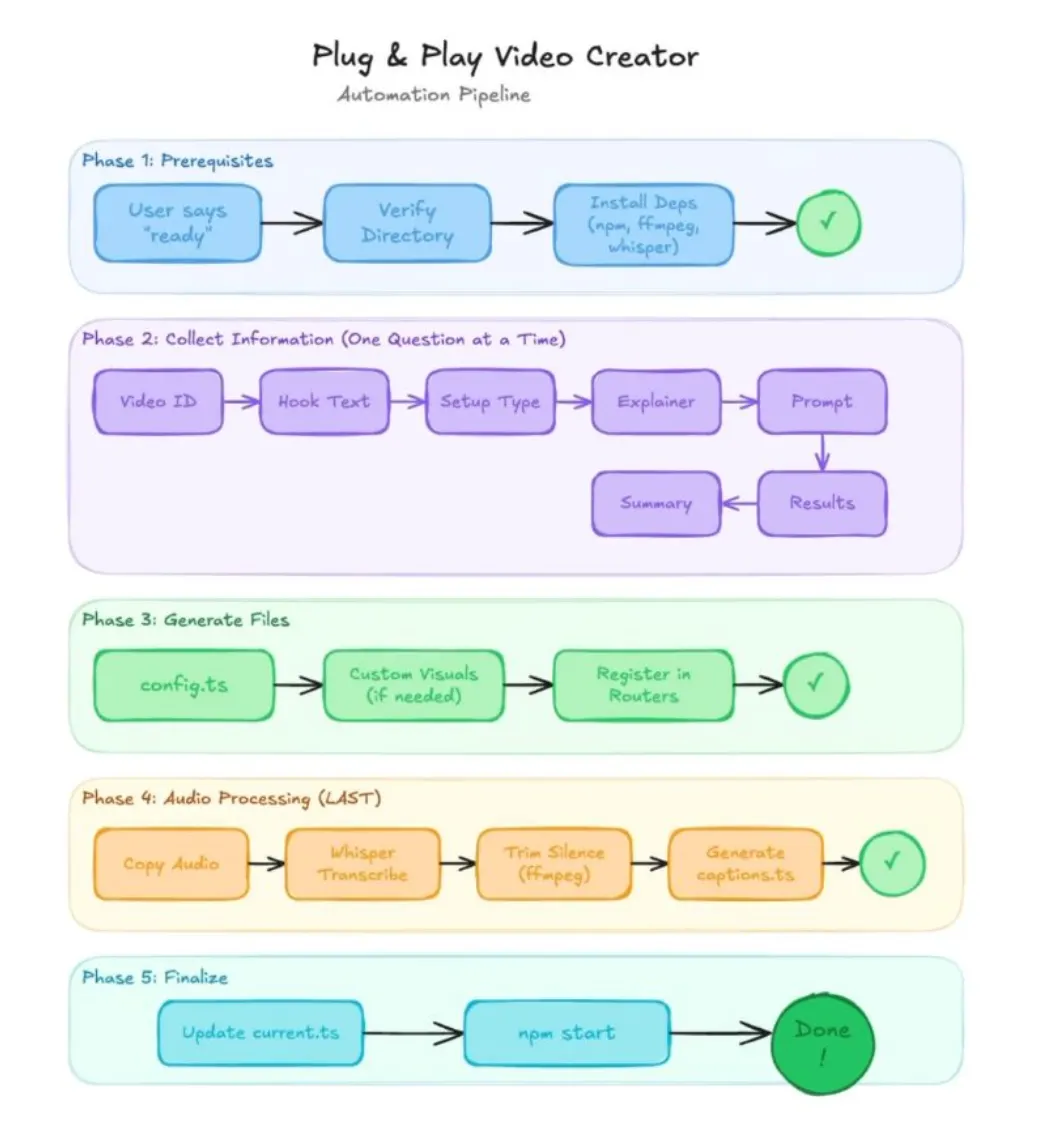
In this example, we use the Excalidraw MCP App to have Goose visualize its own automation pipeline in real time. This demonstrates how Goose can connect to live tools, reason about workflows, and generate structured diagrams element by element.
goose Prompt
Hey Goose review my video automation recipe and create a visual of the automation pipeline for me. I want clean lines and clear labels.goose Output
─── reading /Users/ebonyl/Desktop/plug-and-play-video.yaml ──────────────────────────

─── Create View elements: [ {"type":"cameraUpdate","width":600}, ...] ──────────────────────────