dbx
Query databases from AI agents using connections configured in DBX.
T8t8y2/dbx26k1,070 new stars in the last 7 days
Nutrition tracking: log meals and macros, USDA and Open Food Facts lookups, history, app import.
A remote MCP server for personal nutrition tracking — log meals with calories, macros, fiber, total and added sugar, saturated and trans fat and caffeine (optionally ingredient by ingredient), look up generic foods in USDA FoodData Central and packaged products by barcode in Open Food Facts, record where each nutrient value came from, save meals you eat often and log them again by name, log water, body weight and body measurements, review nutrition history, and import an existing food diary from another app, all through conversation. Alcohol tracking is opt-in and off by default.
Help me pay for the servers on Patreon
Already hosted and ready to use — just connect it to your MCP client:
https://nutrition-mcp.com/mcp
On Claude.ai: open Nutrition MCP in the Claude directory and click Connect (see Connect to Claude.ai below)
On first connect, sign in with Google or enter an email and password and choose Create account. Your data persists across reconnections. Trouble connecting? See Troubleshooting.
By connecting you agree to the Terms of Service; how your data is handled is in the Privacy Policy.
Switching from another tracker? See the nutrition-app alternatives — how it compares to MyFitnessPal, Cronometer, Lose It!, MacroFactor, Yazio, and Lifesum. Bring your history with you: say "import my meals" and an importer opens in the chat, where you pick the CSV you exported from your old app, map its columns, and check what will be added before anything is saved. Exports from MyFitnessPal, Cronometer, Lose It! and MacroFactor are recognised automatically; any other CSV works by mapping its columns yourself. In clients that can't show in-chat panels, paste the export instead and the AI imports it for you. If your export has an alcohol column and you want it kept, turn alcohol tracking on before importing — the importer skips that column while tracking is off, and re-importing the same file later won't backfill it.
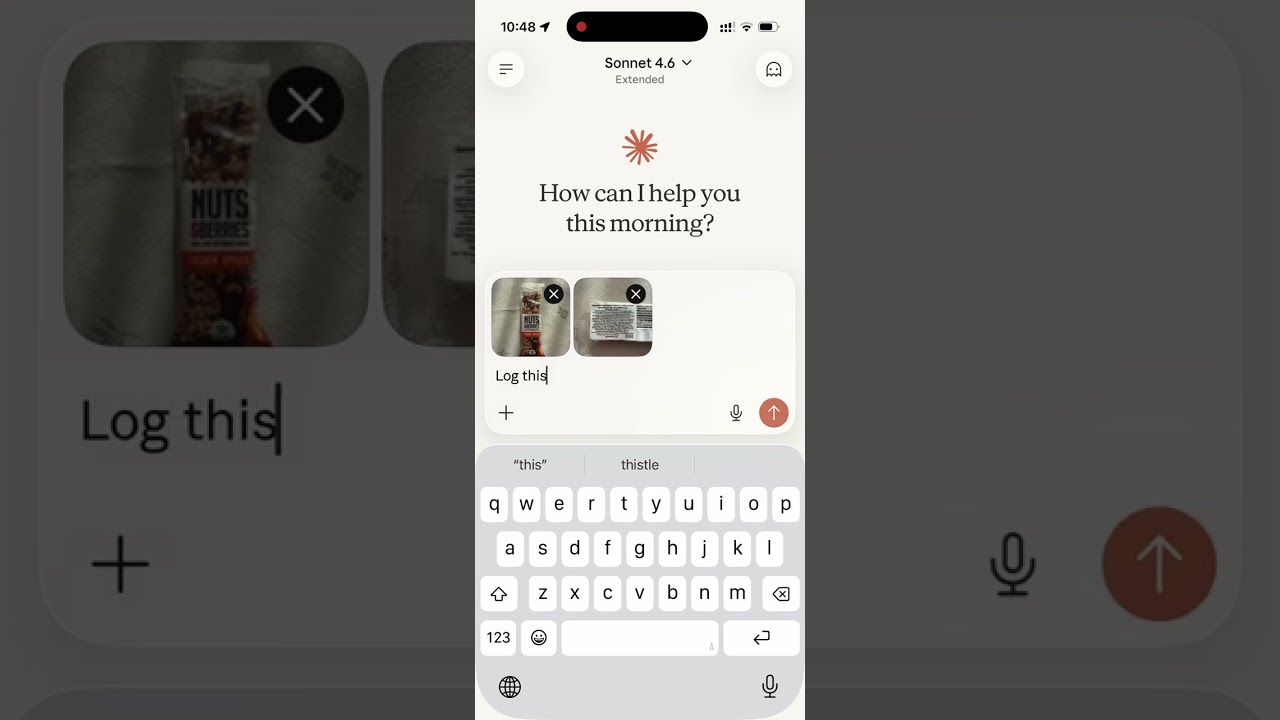
Read the story behind it: How I Replaced MyFitnessPal and Other Apps with a Single MCP Server
S256), token-endpoint client authentication (none, client_secret_post, client_secret_basic), codes and refresh tokens bound to the client they were issued to, iss on every authorization response (RFC 9207), and client secrets, access tokens, refresh tokens and codes stored only as a SHA-256 hash. Access tokens last 24 hours; refresh tokens last 90 days from their last use and rotate on every refresh; expired tokens and never-used client registrations are swept hourly| Tool | Description |
|---|---|
log_meal | Log a meal with description, type, calories, macros, fiber, total and added sugar, saturated and trans fat, alcohol, caffeine (mg), notes — from text or a photo of your plate; each value records its source |
start_meal_import | Open the in-chat CSV importer: pick an export from another app, map its columns, preview, confirm |
bulk_import_meals | Write up to 50 imported rows per call — each row validated, duplicates skipped so a re-send is safe while the timezone is unchanged |
lookup_barcode | Look up a packaged product's label nutrition by barcode via Open Food Facts, including added sugar when listed (read from a photo or typed; data © OFF contributors, ODbL) |
search_foods | Search USDA FoodData Central generic foods by English name; up to 10 candidates with their ids and macros per 100 g |
get_food_macros | USDA FoodData Central values for one generic food by its id, per 100 g or scaled to amount_g, with its listed portion sizes |
get_meals_today | Get all meals logged today, one compact line per meal with its id; detail: "full" adds notes |
get_meals_by_date | Get meals for a specific date (YYYY-MM-DD), one compact line per meal; detail: "full" adds notes |
get_meals_by_date_range | Get meals between two dates (inclusive), up to 31 days per call; one compact line per meal, detail: "full" adds notes |
search_meals | Search past meals by keyword, grouped into recurring variations (counts, last logged, typical macros) |
get_nutrition_summary | Daily nutrition totals + goal progress for a date range, up to 92 days per call |
update_meal | Update any fields of an existing meal |
delete_meal | Delete a meal by ID |
save_meal | Save a meal under a name, with values per serving and optional ingredients, to log again later |
log_saved_meal | Log a saved meal, scaled by servings, with single ingredients set to the amount eaten or left out |
get_saved_meals | List saved meals with their values and ingredients, optionally filtered by name |
update_saved_meal | Change a saved meal's name, values or ingredients; meals already logged from it keep theirs |
delete_saved_meal | Delete a saved meal; meals already logged from it keep their values |
set_nutrition_goals | Set daily calorie, macro, fiber and water targets to reach, total-sugar/added-sugar/alcohol/caffeine limits to stay under, plus an optional target weight |
get_nutrition_goals | Get the current daily targets and limits |
get_goal_progress | Get intake vs. targets and limits for a given day (default: today), plus latest weight vs. target |
log_water | Log a hydration entry in milliliters |
get_water_today | Get today's water intake total and entries |
get_water_by_date | Get water intake for a specific date |
delete_water | Delete a water log entry by ID |
log_weight | Log a body-weight measurement in kg or lb (converted and stored server-side) |
get_weight_today | Get today's weight entries |
get_weight_by_date | Get weight entries for a specific date |
get_weight_by_date_range | Get weight entries between two dates (inclusive), grouped by day, up to 366 days per call |
get_weight_trends | Weight trend: smoothed trend weight, weekly rate, latest, overall change, min/max, goal progress; widget zooms to 90 days, 1 year or all history |
update_weight | Update an existing weight entry |
delete_weight | Delete a weight entry by ID |
set_weight_unit | Set the preferred weight unit (kg or lb; null to clear) |
log_body_measurement | Log a tape measurement (waist, hips, neck, chest, shoulders, upper arm, forearm, thigh, calf) in cm or in |
get_body_measurements | List body measurements by day, optionally for one site; last 30 days by default, up to 366 days per call |
update_body_measurement | Update a measurement's value, unit, time or notes (the site is fixed) |
delete_body_measurement | Delete a body measurement by ID |
set_length_unit | Set the preferred length unit (cm or in; null to clear) |
get_trends | 7/14/30-day averages, std dev, streaks, best/worst day; group_by week/month/quarter/year averages per logged day vs targets then in effect |
get_meal_patterns | Pre-aggregated behavioural patterns (breakfast effect, late dinner, weekend vs weekday, outliers) |
export_all_data | Export everything stored about you — logs, saved meals and ingredients, where each nutrient value came from, goals, profile, account, telemetry, app connections — as one ZIP of CSVs + README; 60-minute link |
get_profile | Get timezone (+ local date/time), widget language, weight and length units, widget display and alcohol tracking in one call |
set_timezone | Set the user's IANA timezone (e.g. America/Los_Angeles) |
set_language | Set the UI language for in-chat widgets (dashboards, charts) — not the language the AI replies in |
get_current_time | Get the current date and time in the user's timezone, plus the UTC instant — for hosts with no clock in context |
set_widget_display | Enable or disable the in-chat visual widgets (dashboards, rings, charts); enabled by default |
set_alcohol_tracking | Turn alcohol tracking on or off (off by default) and choose US standard drinks or UK units; turning it off hides alcohol rather than deleting it |
delete_account | Permanently delete the user's Nutrition MCP account and all data it stores about them |
| URI | Description |
|---|---|
nutrition://weekly-summary | Rolling 7-day digest (averages vs targets, best/roughest day) for proactive pulls |
git clone https://github.com/akutishevsky/nutrition-mcp.git
cd nutrition-mcp
bun install
cp .env.example .env   # fill in real values as you go through the steps below
Requires Bun 1.x (matches the Dockerfile's oven/bun:1 base image; no exact minor version is pinned).
Making it yours: The public site includes the maintainer's personal bits — Google Analytics, Microsoft Clarity, Patreon/GitHub/contact links, and the
nutrition-mcp.comdomain. Runbun run gen:allto produce the public pages, thenbun run depersonalizeto strip the personal bits in one pass (the consent-gated analytics snippet, the consent banner and the footer "Cookie settings" button, plus the analytics CSP hosts, the Support/Contact sections, social links, and the domain → ayour-domain.complaceholder). Usebun run depersonalize --dryto preview without writing. Afterwards, swap in your ownpublic/og.png,favicon.ico,favicon.svg,apple-touch-icon.png,icon-192.pngandicon-512.png, replace the domain placeholder with your real domain, and rewrite the analytics paragraphs of the privacy policy and terms (src/copy/legal*.ts), which still name both services. Its edits to the generated pages are undone bybun run gen:all— to regenerate, first change the sources it reads from (inscripts/site-partials.ts, either your ownGA_MEASUREMENT_ID/CLARITY_PROJECT_ID, whichanalyticsHead()loads only after a visitor accepts the consent banner, orANALYTICS_ENABLEDset to false to drop the snippet, banner and button altogether;SITEinsrc/routes.ts), then run it again. This script only touches the generated files underpublic/, the import widget's support address,src/index.tsand the security.txt contact insrc/security-txt.ts(blanked, so/.well-known/security.txtanswers 404 until you set your own) — it doesn't touch this README orSECURITY.md, so if you're publishing your own fork, rewriteSECURITY.mdfor your deployment and also edit or remove the Patreon line near the top of this file and the Medium link in Demo.
Create a Supabase project.
Enable Email Auth (Authentication → Providers → Email) and disable email confirmation.
Apply the schema. The full schema lives in supabase/migrations/. With the Supabase CLI:
supabase link --project-ref <your-project-ref>
supabase db push
This creates every table, index, RLS policy, and foreign key the app needs. No local Postgres is involved — migrations run against your hosted project.
Copy the service role key from Project Settings → API and use it as SUPABASE_SECRET_KEY.
| Variable | Description |
|---|---|
SUPABASE_URL | Your Supabase project URL |
SUPABASE_SECRET_KEY | Supabase service role key (bypasses RLS) |
OAUTH_CLIENT_ID | (optional, legacy) ID of the pre-registration static OAuth client. Clients now register themselves via POST /register; this only keeps older connections working until the legacy client is retired |
OAUTH_CLIENT_SECRET | (optional, legacy) Secret of the legacy static OAuth client |
ALLOWED_ORIGINS | (optional) Comma-separated list of extra browser origins allowed to call /mcp via CORS — localhost/127.0.0.1 on any port are always allowed regardless |
GOOGLE_CLIENT_ID | (optional) Google OAuth client ID for "Sign in with Google" |
GOOGLE_CLIENT_SECRET | (optional) Google OAuth client secret |
OFF_USER_AGENT | Open Food Facts User-Agent for barcode lookups, in the form AppName (email) |
USDA_API_KEY | (optional) USDA FoodData Central API key for search_foods and get_food_macros; without it those tools report that USDA data is not configured |
PATREON_CLIENT_ID | (optional) Patreon OAuth client ID, for showing recent posts on the landing page's Support section |
PATREON_CLIENT_SECRET | (optional) Patreon OAuth client secret |
PATREON_CAMPAIGN_ID | (optional) Patreon campaign ID to fetch posts from |
PATREON_ACCESS_TOKEN | (optional) Creator's Access Token from Patreon's client management page — one-time bootstrap seed, see below |
PATREON_REFRESH_TOKEN | (optional) Creator's Refresh Token from the same page — one-time bootstrap seed, see below |
PORT | Server port (default: 8080) |
NOINDEX | (optional) Any non-empty value sends X-Robots-Tag: noindex, nofollow on every response and leaves Google Analytics, Clarity and the consent banner (with its footer "Cookie settings" button) out of the generated pages, for a dev or staging deploy. Must be set at build time too, since the pages are generated during the build |
ADDED_SUGAR_REQUIRED_FROM | (optional) ISO-8601 instant (a date, or a date-time with an offset) from which log_meal / update_meal refuse a sugar_g given without added_sugar_g. Unset, empty or unparseable leaves the rule off. Set it well after the deploy that first advertised added_sugar_g: hosts cache the tool list for days, and a client on an older list cannot send the field |
Legacy only — a fresh deploy doesn't need these, since every client registers its own credentials via POST /register. To set the optional OAUTH_CLIENT_* pair for the legacy static client:
bun run generate-oauth-creds
or manually:
openssl rand -hex 16   # use as OAUTH_CLIENT_ID
openssl rand -hex 32   # use as OAUTH_CLIENT_SECRET
Patreon posts, one-time setup:
PATREON_ACCESS_TOKEN/PATREON_REFRESH_TOKENare only ever read once, at server boot, to seed thepatreon_tokenstable if it's still empty — the server refreshes and stores its own pair from then on, so leaving these two set permanently is safe (every later boot is a no-op). You never need to touch the database by hand.
Email/password works out of the box. To also offer "Continue with Google",
follow docs/google-auth-setup.md to create a
Google OAuth client, enable the Google provider in Supabase, and set
GOOGLE_CLIENT_ID / GOOGLE_CLIENT_SECRET. This adds the POST /authorize/google
and GET /auth/google/callback routes — see API Endpoints.
bun install
cp .env.example .env   # fill in your credentials — see Self-hosting above for what to put here
bun run dev             # regenerates public/ pages, then starts with hot reload on http://localhost:8080
The generated pages under public/ (index, tools, privacy, terms, login, /alternatives, locale mirrors, sitemap.xml) are build artifacts, not tracked in git — they're regenerated on every Docker build, in CI, and once at each bun run dev start. --watch only restarts the src/index.ts process on save, so it does not rerun generation — after editing src/copy/, src/routes.ts, or scripts/site-partials.ts, run bun run gen:all yourself to pick up the change.
bun test                # run the test suite
bun run format           # format with Prettier (4-space indentation)
bun run format:check     # verify the tree is prettier-clean
bun run typecheck        # typecheck src/
CI runs format:check and typecheck on every PR; typecheck is scoped to src/, so a type error in a test file or under scripts/ won't be caught by it.
For in-chat widget development (public/widgets/), bun run harness starts a local host simulator so you can test widgets without a real MCP client.
Alternatively, add https://nutrition-mcp.com/mcp as a custom connector under Customize → Connectors. If you reconnect later, sign in with the same email and password to keep your data.
An optional iOS Shortcut, Nutrition MCP Health, copies your daily totals into Apple Health on your iPhone: calories (Dietary Energy), protein, carbohydrates, total fat, fiber and caffeine, plus water if you opt in when connecting. Alcohol is never sent. There is no app to install and no new MCP tool — your AI app keeps doing the logging, and the shortcut only reads finished days. The setup guide — install link, connecting, automations and everyday use — is at nutrition-mcp.com/apple-health (the install link appears there once the shortcut is published); how the shortcut is built is in docs/apple-health-shortcut.md.
health_sync.csv, and a health_sync row in connections.csv). The connection ends after 90 days without a sync and 365 days after connecting at the latest; Disconnect in the shortcut, or deleting your account, removes it at once. Nothing is ever removed from Apple Health — that data is on your iPhone.get_profile shows whether the sync is connected and which day it has sent through.The full version, in 10 languages, is at nutrition-mcp.com/tools#troubleshooting. In short:
https://nutrition-mcp.com/mcp, then sign in with the same email and password (or Google account) as before — your data belongs to the account, not the connection. It stays connected as long as you use it at least every 90 days.{"error":"session_expired"} on the sign-in page: the page is valid for 10 minutes and resets when the server restarts; reload it or start connecting again. session_mismatch means sign-in was finished in a different browser from the one that opened it.set_timezone; past entries regroup, but one given a specific time while the timezone was wrong keeps that moment — fix it with update_meal. Set it before importing history: re-importing another app's file after a timezone change adds the rows again (a Nutrition MCP export is recognized and not duplicated).set_widget_display, start a new conversation. The meal-logged card only appears once goals are set.bulk_import_meals (duplicates are skipped, so re-sending is safe as long as your timezone hasn't changed in between; set it before the first import). If you use the importer panel and want an alcohol column kept, turn alcohol tracking on first; the panel skips it while tracking is off.search_foods, get_food_macros) share one hourly quota across all users. After USDA's limit is reached, or when the key's hourly allowance is nearly used up, lookups pause for 60 minutes; each user is also capped at 30 lookups per hour. Foods looked up in the last 30 days keep working during a pause. USDA's names are in English, so search with English food names.delete_account permanently removes everything after you confirm; export first if you want a copy.| Endpoint | Description |
|---|---|
GET /health | Health check |
GET /.well-known/oauth-authorization-server | OAuth metadata discovery (root + /mcp-scoped variants) |
GET /.well-known/oauth-protected-resource | OAuth protected-resource metadata discovery (root + /mcp-scoped variants) |
POST /register | Dynamic client registration (RFC 7591) — per-client, redirect URIs enforced |
GET /authorize | OAuth authorization (shows login page) |
POST /authorize/google | Login-page form; redirects to Google's consent screen |
GET /auth/google/callback | Google OAuth callback — exchanges the code, completes sign-in |
POST /approve | Login/register handler |
POST /token | Token exchange — client-authenticated, redirect_uri + PKCE verifier required |
GET /.well-known/security.txt | Security contact (RFC 9116); Expires rolls forward daily |
GET /security.txt | 301 redirect to /.well-known/security.txt |
GET /favicon.ico | Server icon |
GET /favicon.svg | Site icon (SVG) |
GET /api/github-stars | Cached GitHub star count for the site's GitHub buttons |
POST /api/v1/health-sync/start | Apple Health sync: start connecting from the shortcut (returns a connect link) |
GET /health-sync/connect/:id | Apple Health sync: opens the normal sign-in page for that connect request |
GET /health-sync/callback | Apple Health sync: sign-in callback; hands a claim code back to the shortcut |
POST /api/v1/health-sync/claim | Apple Health sync: exchange claim code + device secret for the sync token |
GET /api/v1/health-sync/pending | Apple Health sync: closed-day totals to log (Bearer nmhs_… token) |
POST /api/v1/health-sync/ack | Apple Health sync: record what the shortcut logged (Bearer token) |
POST /api/v1/health-sync/revoke | Apple Health sync: disconnect (Bearer token) |
ALL /mcp | MCP endpoint (authenticated) |
The project includes a Dockerfile for container-based deployment.
8080delete_account and export_all_data tools, or email the address above. See the privacy policy.Nutrition figures come from three places, and each nutrient value records which one it came from (the user, a label or barcode record, USDA, or an estimate). The in-chat widgets show that source as a tag beside each number, per meal and per ingredient, and the export carries it in nutrient_sources. A value is tagged USDA or Open Food Facts only when it matches that record for the amount logged; the server checks this, so a value cannot claim a source it does not match.
USDA FoodData Central (search_foods, get_food_macros) covers generic, unbranded foods from the Foundation, SR Legacy and Survey (FNDDS) data types, with values per 100 g scaled to the grams eaten and the portion sizes USDA lists. Its data is English-only, so search with English food names. A nutrient USDA does not record for a food is reported as not recorded and is never shown as zero. Requests send the search words (cleaned and up to 200 characters) or a FoodData Central id to USDA's API with this server's key, and no user identifier.
Suggested citation for FoodData Central, from fdc.nal.usda.gov:
U.S. Department of Agriculture, Agricultural Research Service, Beltsville Human Nutrition Research Center. FoodData Central. [Internet]. [cited 2026-10-10]. Available from https://fdc.nal.usda.gov/.
Nutrition MCP is not endorsed by the U.S. Department of Agriculture.
Open Food Facts (lookup_barcode) uses product data from Open Food Facts for packaged products, looked up by barcode. Product data © Open Food Facts contributors, available under the Open Database License (ODbL). Every lookup result names Open Food Facts and the licence.
Values with no record behind them are estimates, or come from a label the user shares.
Query databases from AI agents using connections configured in DBX.
T8t8y2/dbx26k1,070 new stars in the last 7 days
MCP Toolbox for Databases enables your agent to connect to your database.
GOgoogleapis/mcp-toolbox17k56 new stars in the last 7 days
Real-time Kubernetes network traffic visibility and API analysis for HTTP, gRPC, Redis, Kafka, DNS.
KUkubeshark/kubeshark12k7 new stars in the last 7 days
Let your users work with their own data through an AI assistant, limited to what they can see.
NHnhost/nhost9.4k10 new stars in the last 7 days
Open-source desktop SQL workspace with 3 built-in database drivers and 16 shipped plugins, including SQL Server, DuckDB, ClickHouse and Redis. Built-in MCP server for Claude, Cursor and Devin, SQL notebooks and visual EXPLAIN.
TATabularisDB/tabularis5.2k81 new stars in the last 7 days
Manage Jitsu data pipelines: destinations, streams, connections, functions, live events.
JIjitsucom/jitsu5.1k8 new stars in the last 7 days