dbx
Query databases from AI agents using connections configured in DBX.
T8t8y2/dbx26k1,070 new stars in the last 7 days
Explore your databases, validate SQL, and build & publish data apps in your Mako workspace.
 Mako
Mako
The AI-native SQL Client.
The Cursor for Data. Connect to any database, query with AI, and build live dashboards -- all from your browser.
Stop wrestling with complex SQL and slow, bloated database tools. Write queries in plain English, get instant results, and turn them into interactive dashboards with cross-filtering and scheduled refresh.
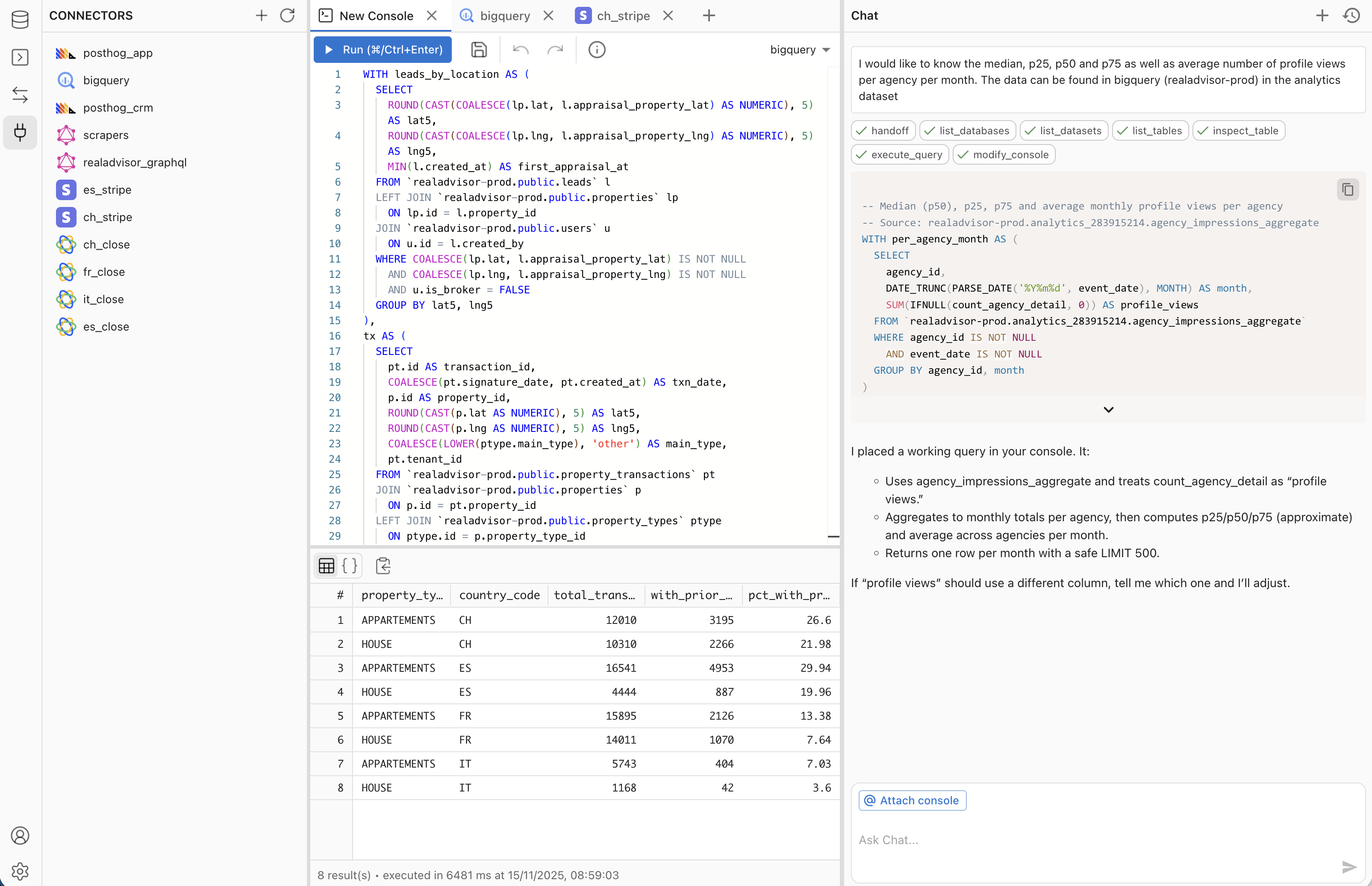
A modern SQL client built for the AI era, replacing slow desktop tools with a fast, collaborative, AI-powered experience.
localhost databases work out of the box.
AI-powered console — ask in plain English, get a verified query and live results.
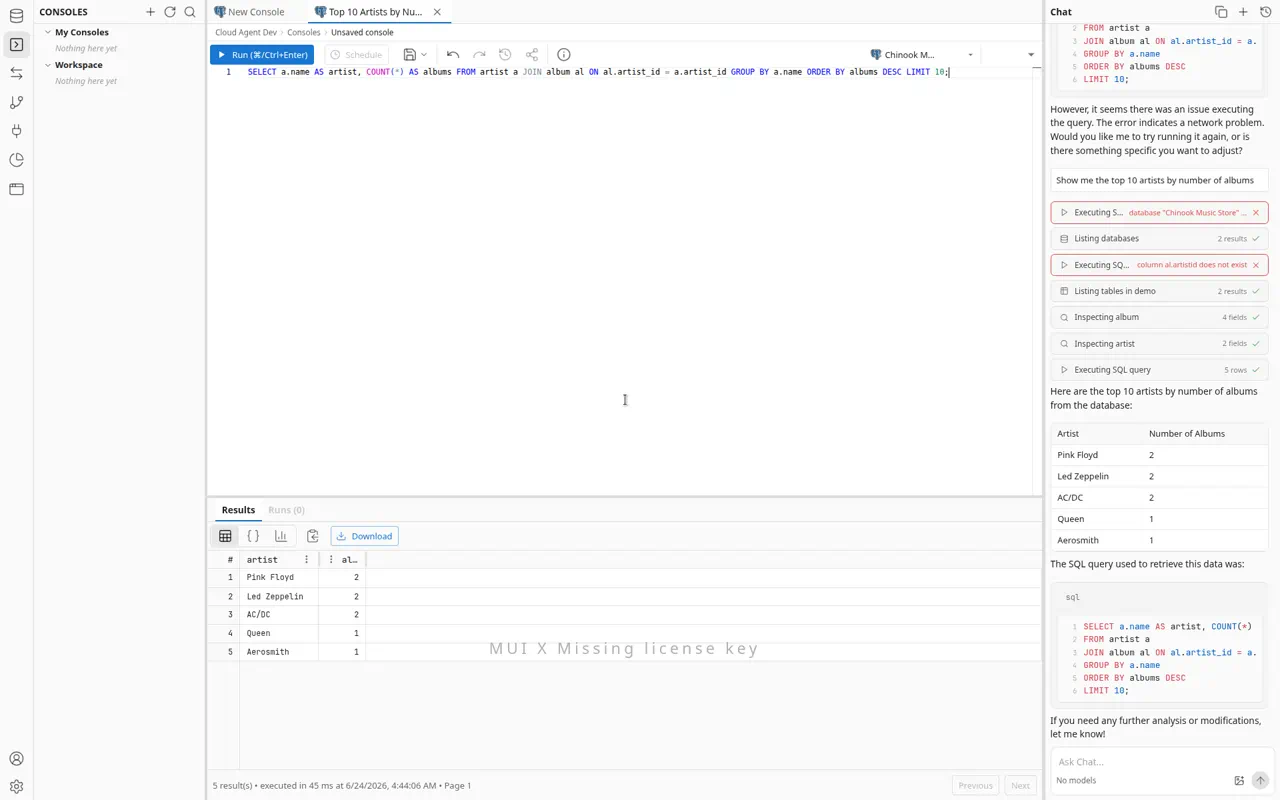
Transforms (dbt) — build, run, and schedule dbt Core projects with a file IDE, jobs, run history, and lineage.
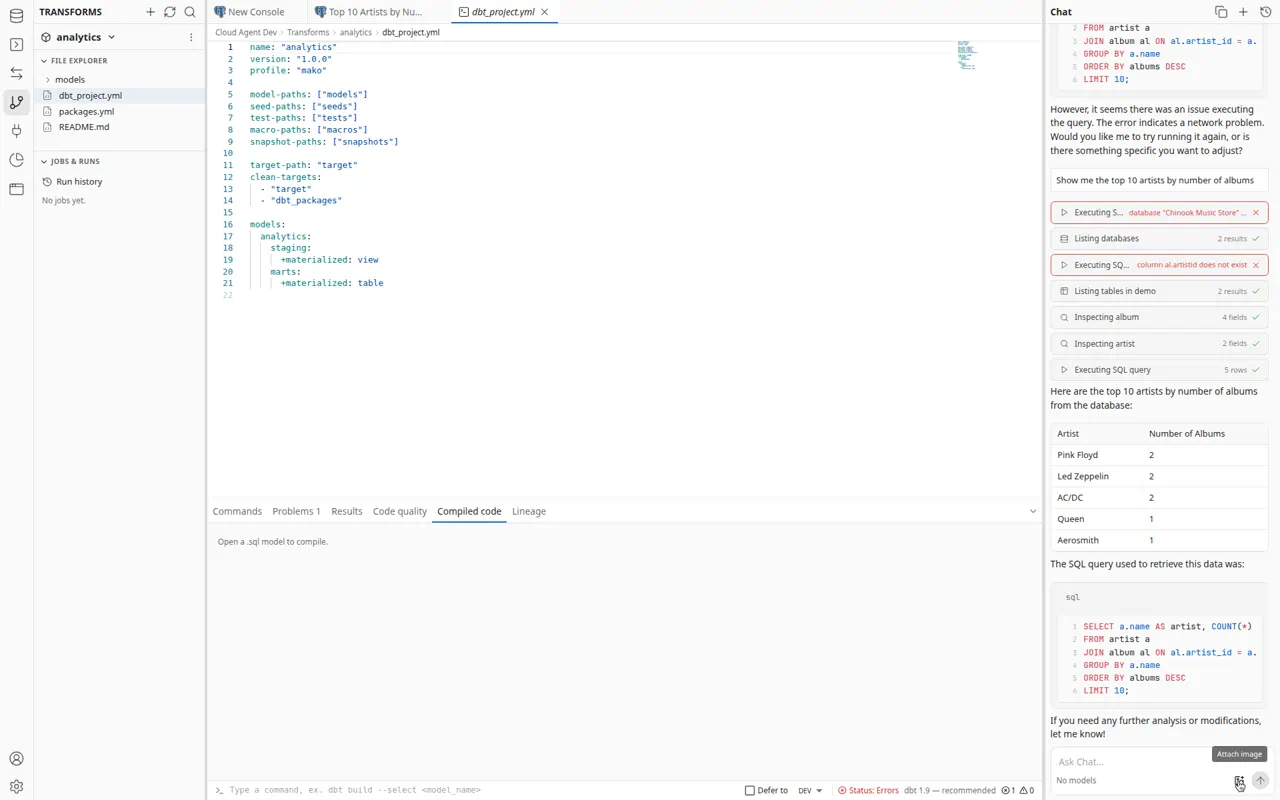
Apps — build live React apps wired to your data, rendered in a sandboxed preview.
| Integration | Status | Description |
|---|---|---|
| PostgreSQL | ✅ Live | Connect to PostgreSQL for relational data queries |
| MongoDB | ✅ Live | Connect to MongoDB for flexible document-based data |
| BigQuery | ✅ Live | Analyze large datasets with Google BigQuery |
| ClickHouse | ✅ Live | Fast OLAP queries on ClickHouse |
| MySQL | ✅ Live | Query MySQL databases with natural language |
| Redshift | ✅ Live | Query Amazon Redshift data warehouses |
| Cloud SQL | ✅ Live | Connect to Google Cloud SQL (Postgres) |
| Cloudflare D1 | ✅ Live | Query Cloudflare D1 SQLite databases |
| Cloudflare KV | ✅ Live | Browse and query Cloudflare Workers KV |
Sync external SaaS data into Mako's data warehouse for querying and dashboards.
| Integration | Status | Description |
|---|---|---|
| Stripe | ✅ Live | Track payments, subscriptions, and billing data |
| PostHog | ✅ Live | Analyze product analytics and user behavior |
| Close.com | ✅ Live | Sync CRM data (leads, opportunities, activities) |
| Claap | ✅ Live | Sync recordings and workspace data |
| Calendly | ✅ Live | Sync events, invitees, and event types |
| GraphQL | ✅ Live | Query any GraphQL API with custom endpoints |
| REST | ✅ Live | Query any REST API with custom endpoints |
| BigQuery | ✅ Live | Sync BigQuery datasets into the warehouse |
┌─────────────────────────────────────────────────────────┐
│  Frontend (React + Vite)                                │
│  ┌──────────┐ ┌──────────────┐ ┌─────────────────────┐ │
│  │ Console  │ │  Dashboards  │ │   AI Chat (Vercel   │ │
│  │ (Monaco) │ │  (DuckDB +   │ │    AI SDK)          │ │
│  │          │ │   Mosaic)    │ │                     │ │
│  └──────────┘ └──────────────┘ └─────────────────────┘ │
│           ▲          ▲                   ▲              │
│           │     Parquet/Arrow            │              │
│           │     via OPFS cache           │              │
└───────────┼──────────┼──────────────────┼──────────────┘
            │          │                  │
┌───────────┼──────────┼──────────────────┼──────────────┐
│  API (Hono + Node.js)                                  │
│  ┌──────────────────────────────────────────────────┐  │
│  │ Unified Agent (expertise modes: Query /          │  │
│  │   Dashboard / Sync Flow / React App / Transforms │  │
│  │   / Explore, switched via enable_mode)           │  │
│  └──────────────────────────────────────────────────┘  │
│  ┌──────────────┐ ┌───────────────┐ ┌──────────────┐  │
│  │  DB Drivers   │ │  Connectors   │ │  Dashboard   │  │
│  │  (9 drivers)  │ │  (8 sources)  │ │  Engine      │  │
│  │              │ │               │ │  (DuckDB     │  │
│  │              │ │               │ │   + Parquet) │  │
│  └──────────────┘ └───────────────┘ └──────────────┘  │
│                          ▲                             │
│                    ┌─────┴──────┐                      │
│                    │  Inngest   │ (scheduled refresh,   │
│                    │            │  incremental sync)    │
│                    └────────────┘                      │
└────────────────────────────────────────────────────────┘
            │                │
     ┌──────┴──────┐  ┌─────┴──────────┐
     │  MongoDB    │  │  User DBs      │
     │  (metadata, │  │  (PG, BQ, CH,  │
     │   warehouse)│  │   MySQL, etc.) │
     └─────────────┘  └────────────────┘
Key technology choices:
@duckdb/node-api and browser-side via @duckdb/duckdb-wasm): powers dashboard SQL execution, Parquet artifact generation, and in-browser cross-filtering with OPFS caching@uwdata/mosaic-core): coordinates cross-filtering across dashboard widgetsDashboards are a core feature. The AI agent creates interactive dashboards from natural language:
Dashboard materialization stores Parquet artifacts on the backend. Three storage backends:
filesystem -- default; stores files on local diskgcs -- Google Cloud Storages3 -- S3-compatible bucketDASHBOARD_ARTIFACT_STORE=filesystem
# Optional shared settings
DASHBOARD_ARTIFACT_PREFIX=dashboards
DASHBOARD_ARTIFACT_DIR=/absolute/path/to/artifacts # filesystem only
DASHBOARD_ARTIFACT_STORE=gcs
GCS_DASHBOARD_BUCKET=your-bucket-name
DASHBOARD_ARTIFACT_PREFIX=dashboard-artifacts/prod
See the docs for full GCS/S3 provisioning instructions.
Clone & Install
git clone https://github.com/mako-ai/mako.git
cd mako
pnpm install
Configure Environment
Copy .env.example (if available) or create .env:
# Local development connects to the shared `dev` database, an Atlas DB that is
# refreshed nightly from production. Grab the `dev` connection string from the
# team vault. (`staging` backs non-migration PR previews; never point local at
# `production`.)
DATABASE_URL=mongodb+srv://<user>:<password>@<cluster>.mongodb.net/dev
ENCRYPTION_KEY=your_32_character_hex_key_for_encryption
WEB_API_PORT=8080
BASE_URL=http://localhost:8080
CLIENT_URL=http://localhost:5173
Start Services
# Start the local notebook Python kernel so notebook `code` cells run
# locally. Requires the KERNEL_* vars from .env.example in your .env.
# (The dev database is hosted MongoDB Atlas, set via DATABASE_URL.)
pnpm run docker:up

# Start the full stack (API + App + Inngest)
pnpm run dev
Analyze
If your database requires IP whitelisting, add the following static IP to your allowlist:
34.79.190.46
This IP is used by Mako's cloud service for all outbound database connections.
| Command | Description |
|---|---|
pnpm run dev | Start API, frontend, and Inngest dev server |
pnpm run app:dev:scan | Start the frontend with React Scan and render debug logging |
pnpm run migrate | Run database migrations |
pnpm run docker:up | Start the local notebook Python kernel (run notebook code cells) |
pnpm run test | Run test suite |
pnpm run build | Build all packages |
pnpm run docs:dev | Start documentation site locally |
Use React Scan when working on render churn, streaming chat responsiveness, Monaco console performance, or explorer/result table interactions:
pnpm run app:dev:scan
This enables the React Scan Vite plugin via VITE_REACT_SCAN=true and turns on Mako's render-debug logs via VITE_RENDER_DEBUG=true. React Scan highlights components that re-render in the browser, while render-debug logs summarize why hot components such as Chat, ResourceTree, Console, and ResultsTable changed.
Keep React Scan off during normal development. The plugin and debug hooks are gated behind env flags so regular pnpm run app:dev runs without profiling overlays or extra debug logging.
Built with ❤️ by the Mako Team. Open Source and self-hostable.
Query databases from AI agents using connections configured in DBX.
T8t8y2/dbx26k1,070 new stars in the last 7 days
MCP Toolbox for Databases enables your agent to connect to your database.
GOgoogleapis/mcp-toolbox17k56 new stars in the last 7 days
Real-time Kubernetes network traffic visibility and API analysis for HTTP, gRPC, Redis, Kafka, DNS.
KUkubeshark/kubeshark12k7 new stars in the last 7 days
Let your users work with their own data through an AI assistant, limited to what they can see.
NHnhost/nhost9.4k10 new stars in the last 7 days
Open-source desktop SQL workspace with 3 built-in database drivers and 16 shipped plugins, including SQL Server, DuckDB, ClickHouse and Redis. Built-in MCP server for Claude, Cursor and Devin, SQL notebooks and visual EXPLAIN.
TATabularisDB/tabularis5.2k81 new stars in the last 7 days
Manage Jitsu data pipelines: destinations, streams, connections, functions, live events.
JIjitsucom/jitsu5.1k8 new stars in the last 7 days